TIKTOK SHOP U.S. · BFCM PRODUCT OPERATIONS
The Two-Week TikTok Shop BFCM Product Preflight: Listings, Variations, Stock and Review Status
Direct answer: start before the two-week mark becomes a deadline
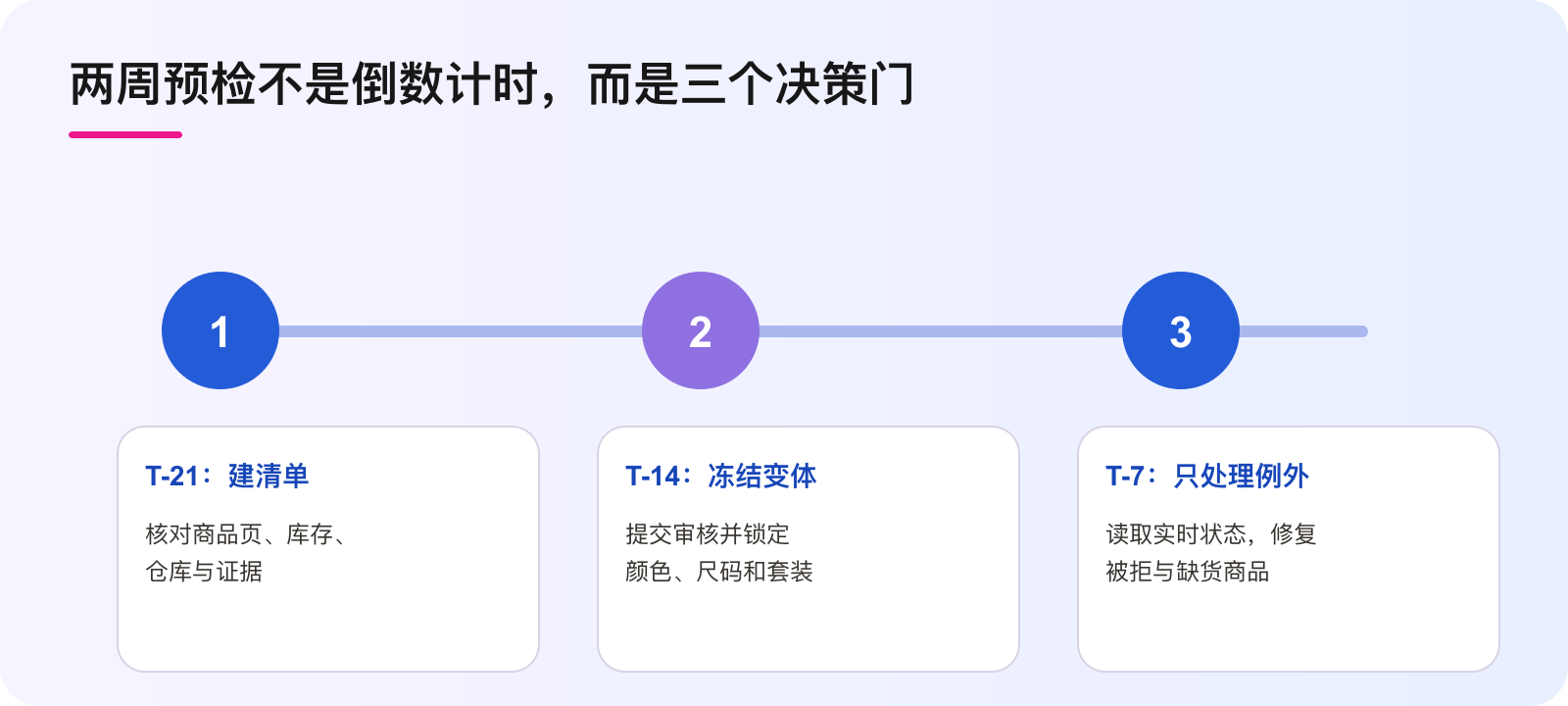
Direct answer: do not treat TikTok Shop BFCM product registration as a final-week upload task. TikTok Shop’s current U.S. BFCM guide recommends creating a new listing at least two weeks before the campaign so the product can pass system review. It also says most campaign applications are reviewed in 5–14 business days. That timing is a planning signal, not an approval promise. A practical brand workflow starts at T-21, freezes variations by T-14, and uses T-7 for evidence-based exceptions rather than structural product changes.
The preflight should answer four separate questions for every priority SKU: is the listing accurate, are the intended variations final, is each variation actually in stock and shippable, and what status does Seller Center show now? Keep those questions separate. A polished listing does not prove stock. Shop eligibility does not prove product approval. An invitation does not prove that a SKU is scheduled. Missing evidence is unknown, never passing.
Why a two-week window is an operating constraint
The guide’s “at least two weeks” recommendation matters because review, correction and operational readiness run on different clocks. The product page may need a title, image or attribute correction. A variation may require new inventory mapping. A warehouse may not be available for that SKU. A campaign application can remain under review while the team is already booking creators and planning paid demand. If all four clocks start together at the last minute, one rejected variation can turn into misleading content, wasted creator work or traffic sent to an unavailable offer.
Use the window to reduce uncertainty in sequence. First establish product truth. Then establish variation truth. Then confirm available-to-promise stock and fulfillment capacity. Only after those controls have evidence should the team scale campaign content. The goal is not to make the checklist look green. The goal is to know which exact product, variation and warehouse can keep the promise shown in content.
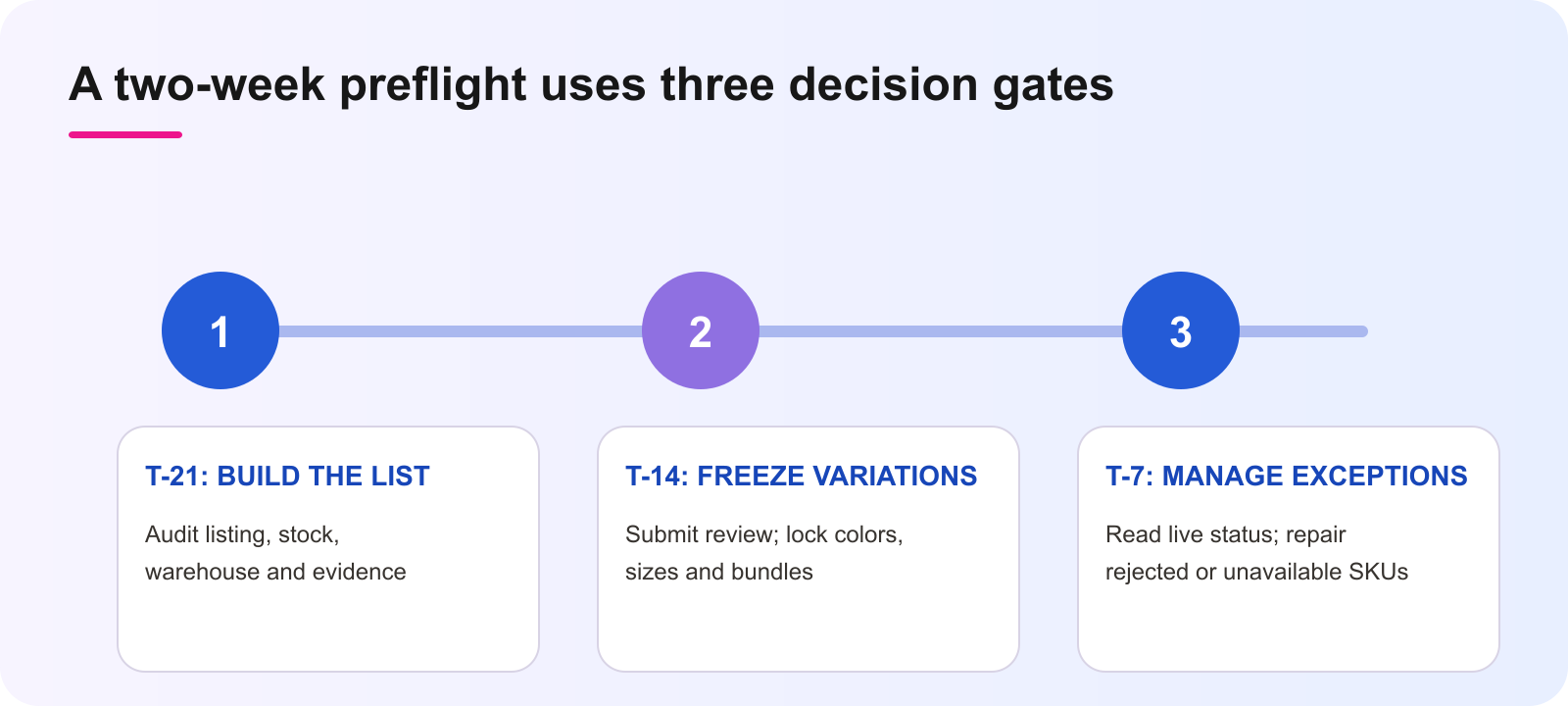
T-21: build the SKU evidence list
At T-21, choose the priority products that the campaign team actually intends to feature. Do not export the entire catalog and call that a plan. For each selected SKU, capture the current Seller Center URL or product ID, listing title, hero image, category, key attributes, variation names, price configuration, on-hand stock, sellable stock, assigned warehouse and named owner. Add the evidence timestamp. If a field cannot be read, label it unknown and assign a deadline.
Read the page as a shopper and as an operator. A shopper needs the title, images, quantity, size, color, bundle contents and claims to describe the same item. An operator needs each variation to map to the right inventory and fulfillment path. Record mismatches as product-truth defects, not as “creative feedback.” This makes ownership clear before campaign review begins.
- Listing owner: title, images, attributes, claims and variation labels.
- Inventory owner: on-hand, reserved and available-to-promise units by variation.
- Fulfillment owner: warehouse availability, handling capacity and dispatch risk.
- Campaign owner: registration status, correction path and next readback time.
T-14: submit and freeze the variation structure
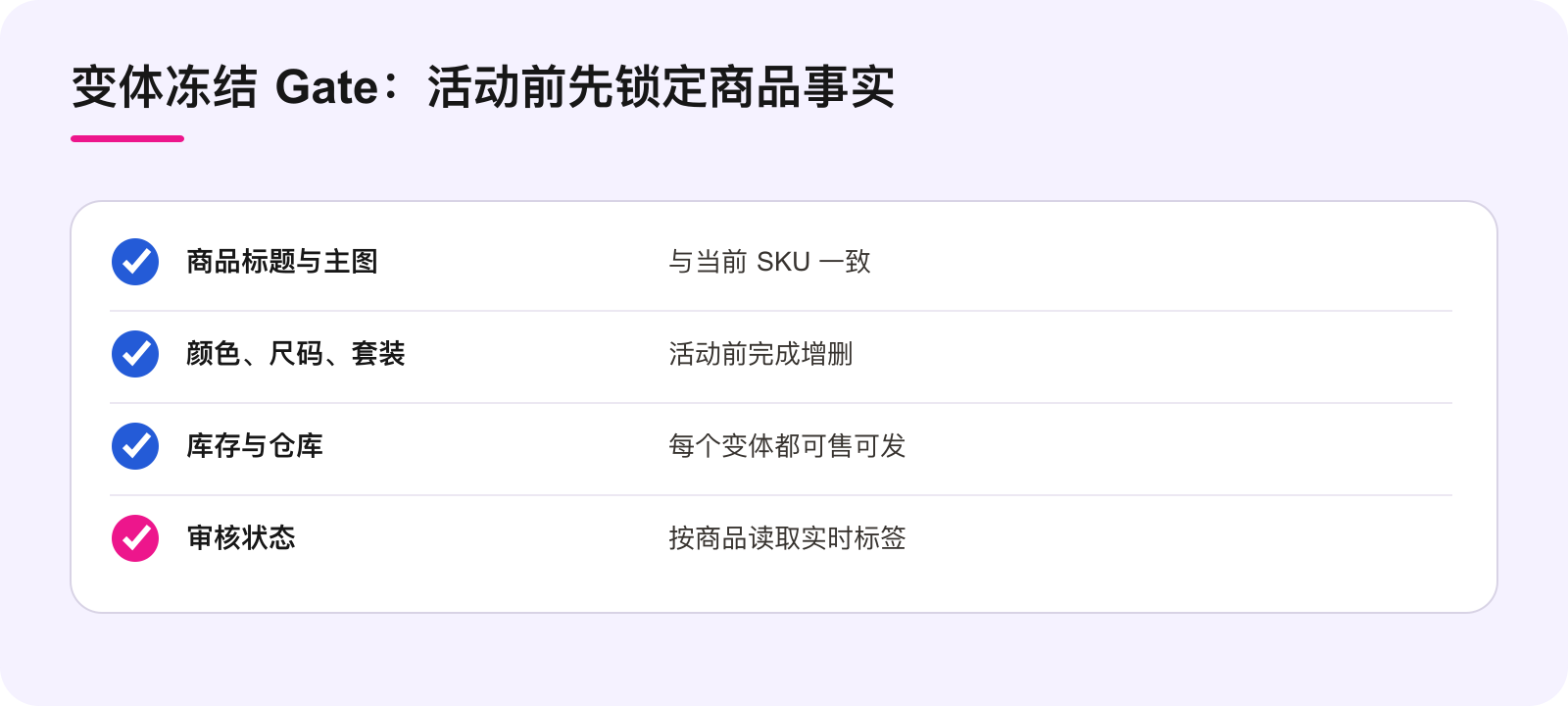
By T-14, resolve additions or deletions to colors, sizes, quantities and bundles, then freeze the campaign variation structure. The current guide says a registered product cannot have variations added or deleted during the campaign. That makes variation design a release decision, not a merchandising detail that can always be fixed later.
A freeze does not mean nobody can correct a factual error. It means structural changes require an explicit stop, owner and campaign-impact review. If a team wants to add a new size after registration, first read the current campaign status and applicable controls in Seller Center. Do not silently reuse another variation, change the shopper-facing label while keeping the old inventory mapping, or let content promise an option that is not registered and buyable.
At the freeze review, compare the exact variation names across the product page, inventory system, creator brief and campaign registration. Confirm that the pack count and included items are unambiguous. Save a short variation manifest so the team can see what was approved for content. The manifest is WEM operating guidance; Seller Center remains the authority for the live product state.
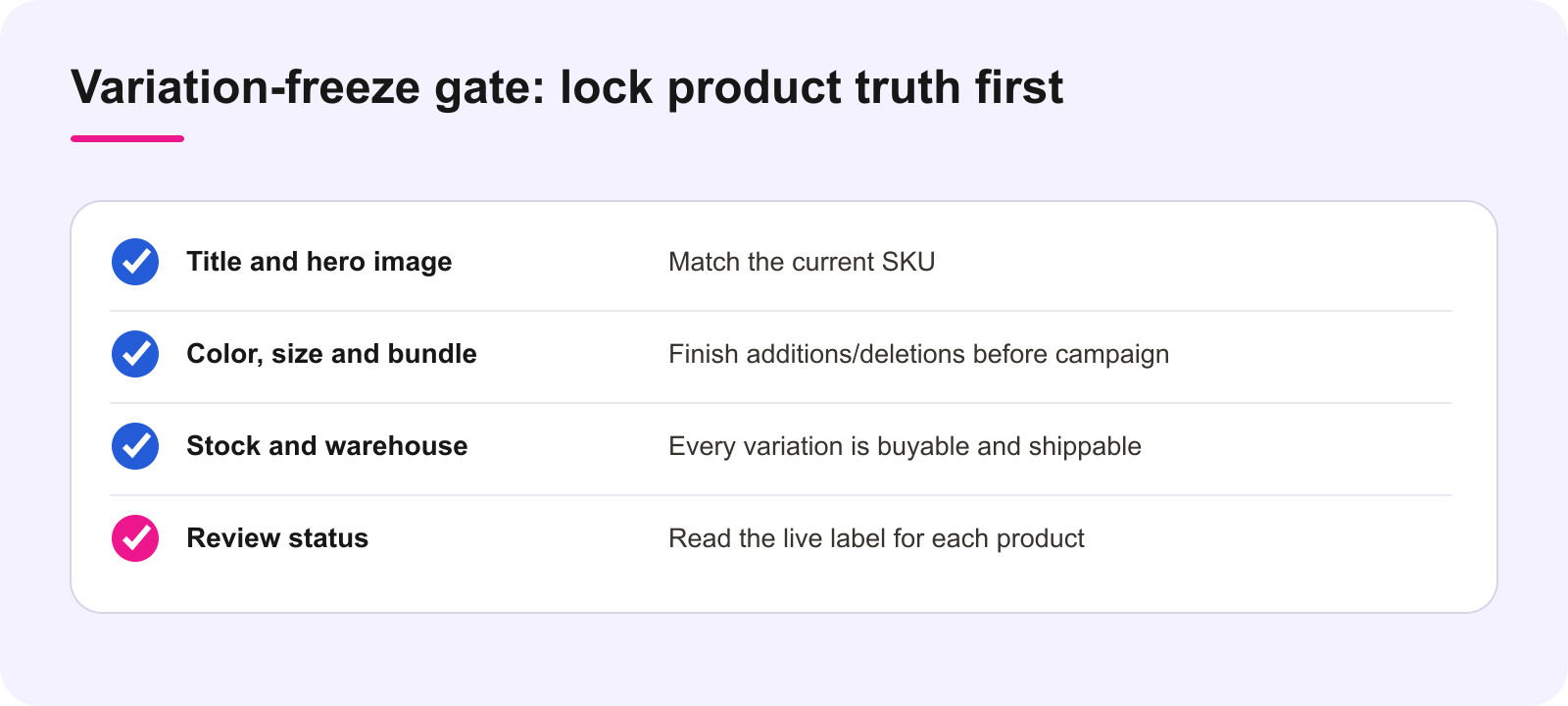
T-7: manage exceptions from live status
At T-7, stop redesigning the assortment. Read the live status for every priority product in the campaign’s Register Products or management view. The guide identifies labels such as Under review, Approved, Rejected and Scheduled. Copy the exact label, timestamp and reason shown to the account. Do not translate “Under review” into “basically approved,” and do not use a shop-level result to fill a product-level blank.
Route each exception according to observed evidence. A rejected listing defect goes to the listing owner. An out-of-stock variation goes to inventory. A warehouse or dispatch constraint goes to fulfillment. A policy, complaint or IP issue goes to the accountable compliance path. If the reason is unclear, the correct status is unknown with a readback or support action, not a guessed fix.
Content should follow the same gate. Creators and paid media should use only the approved product facts and variation manifest. If a featured variation is unavailable or unresolved, change the content plan or hold it. Do not rely on the hope that product status will catch up after demand starts.
Separate inventory quantity from campaign readiness
“In stock” is not one number. A variation may have physical units but no sellable quantity because units are reserved, mapped incorrectly, held in another warehouse or constrained by order capacity. For each campaign variation, record on-hand stock, reserved stock, available-to-promise stock, warehouse, open-order exposure and the next replenishment date. Use the same unit of measure everywhere.
Set a simple stop condition. If the team cannot prove that the promoted variation is buyable and ready to ship from an available warehouse, it is not campaign-ready. That decision protects more than conversion. It reduces cancellation, overdue-dispatch and customer-experience risk that can affect continued campaign participation. A stock screenshot without its timestamp, variation and warehouse is not sufficient evidence.
Use one status ledger, not four disconnected chats
Maintain one shared ledger with one row per campaign product or variation. Minimum fields are: product ID, variation ID, shopper-facing name, listing owner, inventory owner, warehouse owner, campaign status, current reason, evidence link, checked time, next action and next readback. Keep platform facts separate from team actions. “Rejected” is a platform state; “correct main image by 2 PM” is the response.
Review the ledger at a fixed time daily during the final two weeks. Close only rows with current evidence. Preserve a change note when a title, image, variation, stock quantity or warehouse assignment changes. That creates a small decision history and prevents two teams from correcting the same problem in conflicting ways.
Smallest useful next action
Today, select five priority campaign products. For each one, open the live product page and campaign view, list every intended variation, record available-to-promise stock and warehouse, then copy the current review label or write unknown. Assign one owner and one next readback time to every unknown or failed field. Do not expand to the rest of the catalog until these five rows can be reviewed without inference.
Source notes
Primary source: TikTok Shop, 2026 Black Friday & Cyber Monday Seller Campaign Guide, published September 20, 2026, for the United States. FAQ 12 recommends creating a new listing at least two weeks before the campaign; FAQ 13 reports that most campaign applications are reviewed within 5–14 business days and describes live review labels; FAQ 14 addresses variation additions or deletions during the campaign; FAQ 15 points sellers to campaign product-management views. Platform timing, eligibility, product status and interfaces can change. Verify the current Seller Center account view before acting. The T-21/T-14/T-7 sequence, freeze gate and status ledger are WEM operating guidance, not an approval guarantee.
Frequently asked questions
How early should a new product listing be created for BFCM?
The current U.S. guide recommends at least two weeks before the campaign so the listing can pass system review. WEM uses T-21 to create correction room; that earlier checkpoint is operating guidance.
How long does campaign review take?
The guide says most campaign applications are reviewed within 5–14 business days. Treat that as a planning range, not a guaranteed approval time, and read the live Seller Center status.
Can we add or delete product variations during the campaign?
The current guide says registered products cannot have variations added or deleted during the campaign. Finalize the intended structure before registration and verify current controls in Seller Center.
Does Approved mean every variation is in stock?
No. Review status and operational availability are different controls. Confirm sellable stock, warehouse and readiness for every promoted variation.
Where should we check registered products?
Use the campaign Register Products and campaign-management product views in Seller Center, then capture the exact current label and timestamp.
What should we do with an unknown status?
Keep it as unknown, name an owner, set a readback deadline and hold dependent campaign decisions. Missing evidence is not approval.