TIKTOK SHOP U.S. · BFCM PRICE OPERATIONS
Audit Every TikTok Shop BFCM Price Claim Across Video, LIVE and Product Page
Direct answer: audit a BFCM price claim as one statement moving across three surfaces, not as three separate pieces of copy. Write the exact sentence, exact SKU, obtainable price, material conditions, evidence timestamp, owner and expiration rule in one ledger. Video, LIVE and product-page teams may format the message differently, but they must read from the same approved price state.
The current TikTok Shop U.S. Content Policy permits creators to mention prices, discounts, coupons and deals only when the information is accurate, clear, current and not misleading. It also says the obtainable price may vary with coupons, selected SKUs, bundles, minimum-spend requirements, user eligibility, shipping, taxes and promotional periods. A number by itself is therefore not a complete claim.
The 2026 BFCM Seller Campaign Guide adds a platform-operation boundary. Strike-through pricing appears only when the campaign sale price is lower than the regular retail price. The guide also says many self-promotion tools do not stack on top of campaign pricing, the campaign price usually applies first, and some additional promotions may be disabled. A team that ignores precedence can publish a mathematically attractive price that shoppers cannot reproduce.
Define the claim before checking the number
Start by copying the sentence exactly as a shopper will encounter it. “Now $29,” “save 30%,” “lowest price,” “extra 10% with coupon,” and “under $25 at checkout” are different claims. Each requires different evidence. Do not reduce all of them to a spreadsheet cell called price, because that hides the promise made by the words around the number.
Attach the exact seller SKU and variant. If only one color or bundle receives the campaign price, the claim cannot silently cover the whole listing family. Record whether the evidence comes from the product card, campaign management view or checkout, and whether it was observed as a new, returning or otherwise eligible user. A screenshot without SKU, time and conditions is incomplete evidence.
Separate four values: regular retail price, campaign sale price, conditional discount and final obtainable total. The first two may control the visible strike-through. A coupon or threshold can change what a qualified shopper pays. Shipping, taxes or fees can change the checkout total. The audit should never merge these values into a universal price promise.
Build one evidence-led price ledger
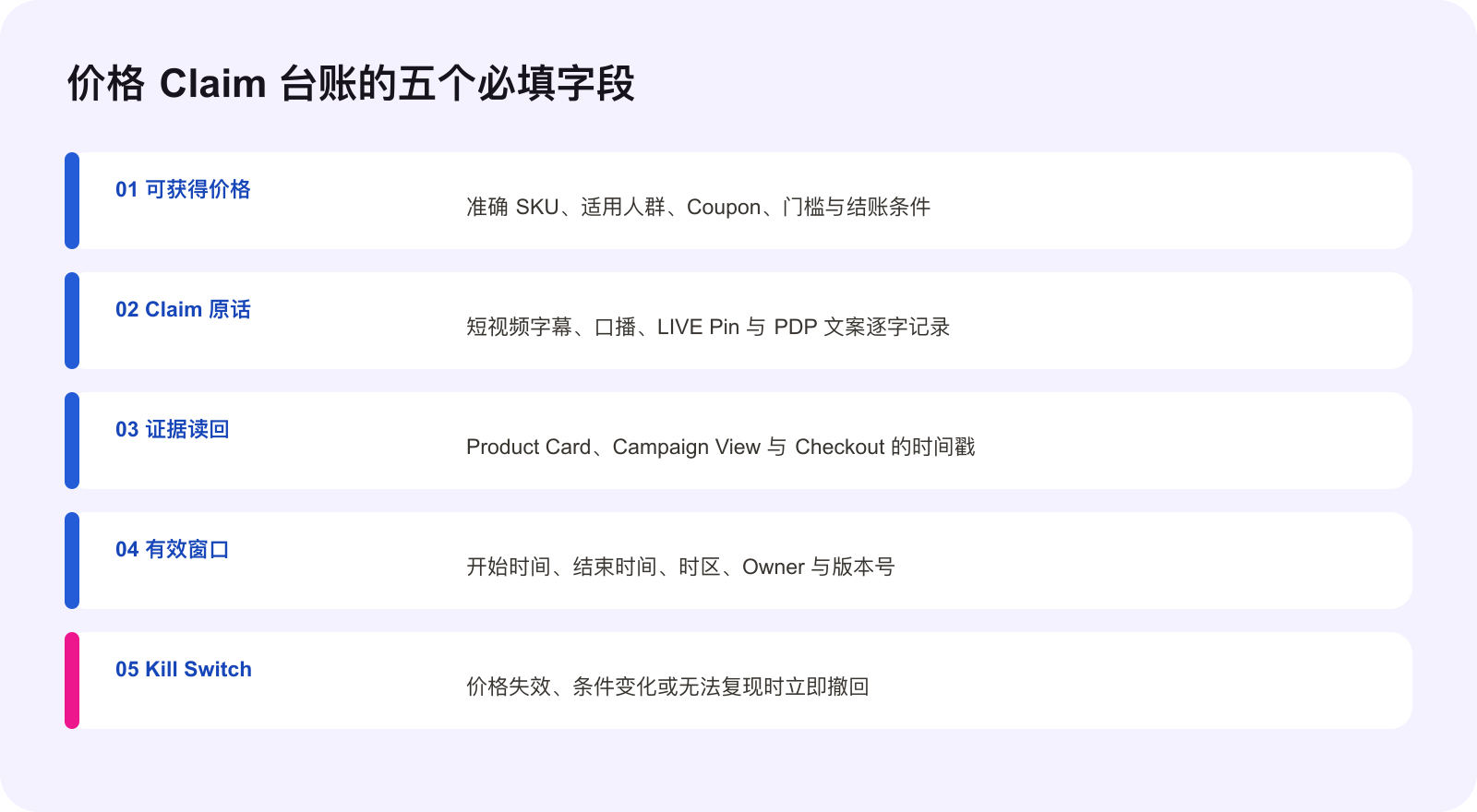
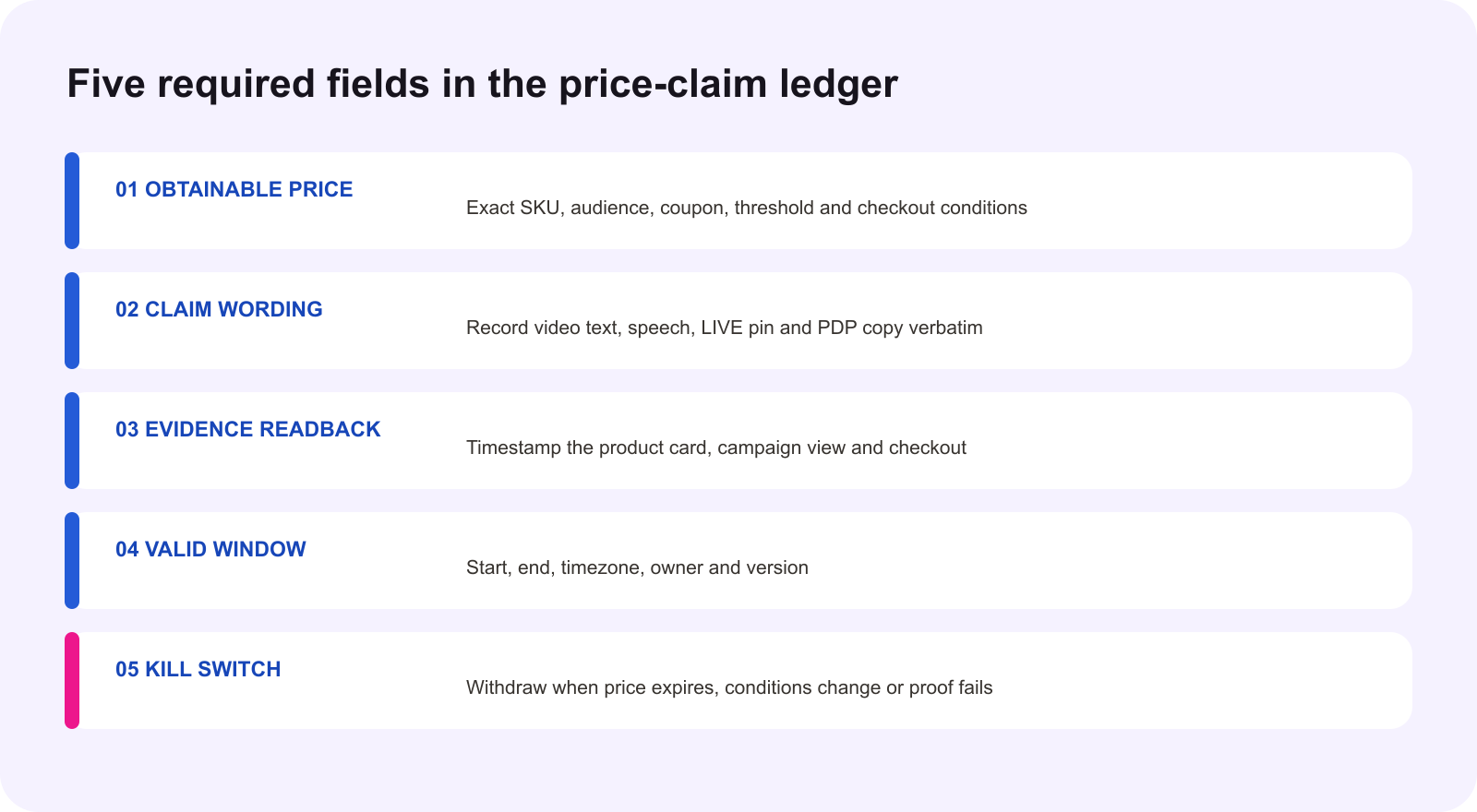
Give every claim one row. Recommended fields are claim ID, exact wording, SKU, surface, regular price, campaign price, coupon or bundle, minimum spend, audience eligibility, start and end time, timezone, evidence link, readback time, pricing owner, content owner, status and withdrawal action. Keep the fields plain enough that an operator can update them during a busy campaign day.
The evidence link should open the source a reviewer actually used. Preserve the campaign view, current product card and a checkout test when the claim includes a final payable amount. If a condition cannot be tested from the available account, label it unknown rather than treating absence as proof. The ledger should make uncertainty visible before a creator makes it public.
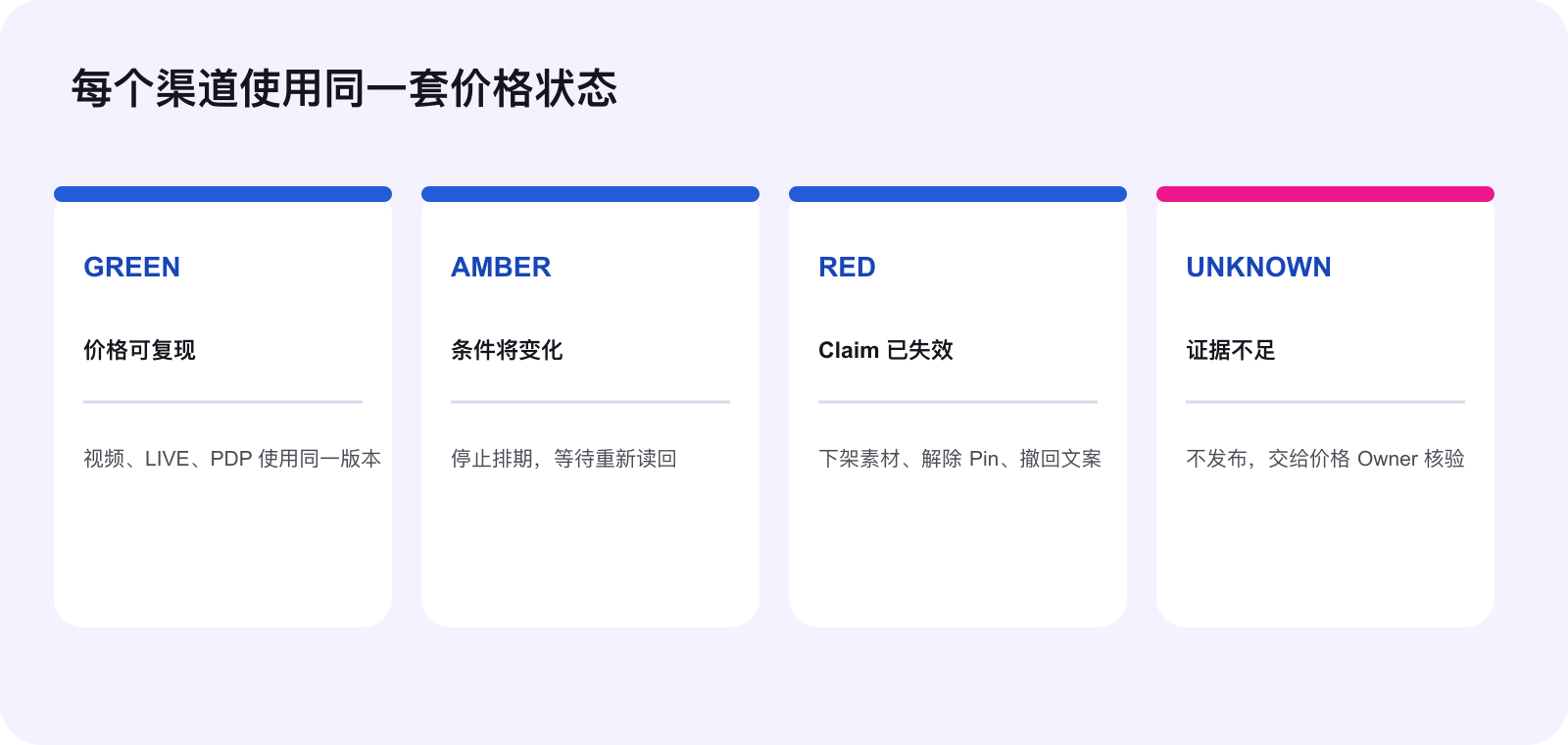
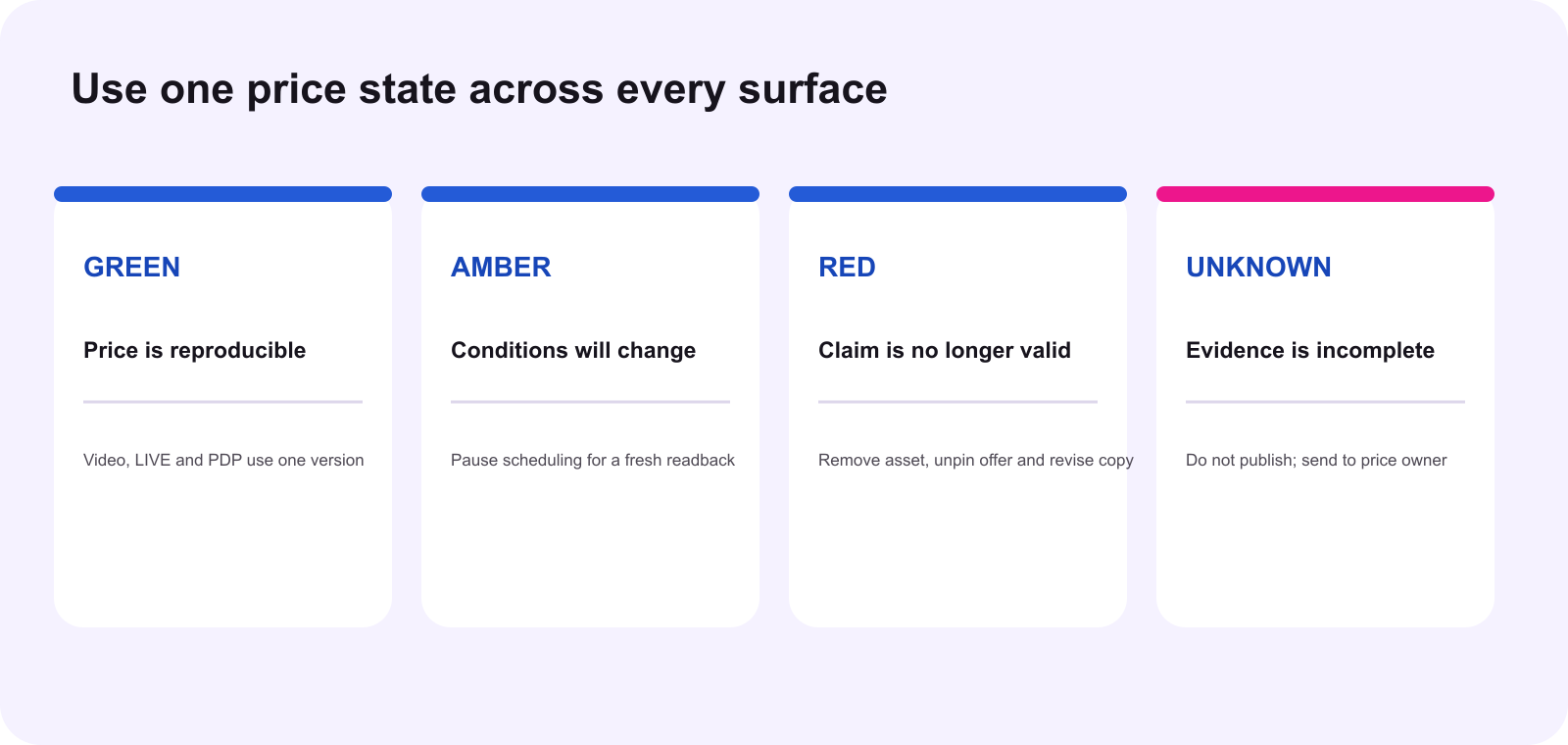
Use versioned statuses. GREEN means the exact claim is reproducible for its stated audience and window. AMBER means a known change is approaching and new content should pause. RED means the claim no longer reproduces and the kill switch must run. UNKNOWN means evidence is incomplete, so the claim cannot be released. Status changes need an owner and timestamp.
Audit the product page first
The product page is the buyer's transaction reference, so begin there. Confirm title, selected variant, displayed regular price, sale price, coupon language, bundle quantity and any minimum-spend condition. Then follow the promoted link into checkout. If the content promise requires a coupon tap or special selection, document that action and disclose it where the shopper sees the claim.
Do not infer a strike-through from creative intent. The BFCM guide says it appears only when campaign sale price is lower than regular retail price; equal prices do not produce it. If the desired visual is missing, investigate campaign registration and price configuration. Do not compensate with a manually designed fake comparison in the video or cover.
Check promotion precedence before approving stacked language. If the campaign price takes priority and a flash deal or extra discount is disabled, “BFCM price plus 10% off” is not an operational plan. The seller should verify the actual active combination in Seller Center and checkout, then write only what that readback supports.
Audit every frame of short-form video
Video creates persistence. Review spoken audio, on-screen text, caption, cover image, pinned comment and linked product together. A compliant voiceover does not cure an expired price printed on the first frame. Record every price sentence in the ledger, including small overlay text and editing templates supplied to creators.
Match the claim window to the publishing window. If a video may remain discoverable after the offer ends, prefer conditional language and an explicit date or instruct the team to replace, archive or edit the asset when the ledger turns RED. Do not rely on viewers noticing an old upload date. The question is whether the current viewer can reasonably obtain what the current content promises.
Remove unsupported superlatives. The Content Policy identifies unsupported “lowest,” “cheapest” and “best price” statements, along with vague or inaccurate comparisons, as misleading. A price being lower than yesterday's brand price does not prove it is the lowest on TikTok Shop or anywhere else. If the comparison population and evidence are not controlled, use the exact offer instead.
Give LIVE a real-time control loop
LIVE requires a faster audit because the host, pinned product card and seller settings can change during the session. Before going live, the operator reads the ledger version aloud to the host, opens the pinned SKU, checks the visible price and conditions, and records the time. The host uses the approved sentence, not a remembered price from rehearsal.
During the room, assign one operator to watch price state. If the product card changes, a coupon exhausts, an eligibility condition appears or checkout no longer reproduces the claim, that operator triggers the kill switch: tell the host to stop the sentence, unpin the item if necessary, remove the price overlay and post corrected language only after a fresh readback.
Prepare safe fallback wording. The host can say, “Open the product card to see the current offer and conditions,” but should not use that sentence to preserve a specific expired promise. If a viewer reports a different price, capture the exact question, screenshot and user path. Treat it as an investigation signal, not proof that either the viewer or host is wrong.
Run the kill switch across all surfaces
A kill switch is a written list of actions, not a warning in a meeting. For each claim, identify who can change the product-page copy, stop ads, contact creators, edit scheduled captions, remove a pinned LIVE product, replace overlays and confirm completion. Set a response time that matches the campaign risk.
When a claim turns RED, withdraw it everywhere. Do not repair only the product page while videos keep the old number, or correct the creator caption while the LIVE run-of-show remains stale. The ledger row should list every active asset and its terminal readback. “Message sent” is not evidence that the content changed.
After correction, run a new shopper-path test and create a new version. Preserve the previous record for audit history instead of silently overwriting it. That history helps the team understand whether the failure came from source configuration, campaign precedence, a creator copy error or an expired condition.
Use a three-pass preflight
Pass one is claim integrity: exact wording, SKU, audience and conditions. Pass two is transaction integrity: product card, campaign view and checkout reproduce the promise. Pass three is surface integrity: the same approved version appears in video, LIVE materials and product-page copy. The content is ready only when all three passes are GREEN.
Re-run the preflight immediately before a scheduled post or LIVE, not only when the creative was approved. BFCM conditions can change between editing and publication. Use the shortest reasonable validity window and require a new readback after any campaign, coupon, listing, inventory or price change.
The smallest useful action today
Choose one priority BFCM SKU. Copy every active price sentence from its product page, one video and the next LIVE run-of-show into a single ledger. Add the exact conditions and evidence timestamp. Mark each GREEN, AMBER, RED or UNKNOWN, then remove every RED and UNKNOWN claim before publishing anything else.
Source notes and execution boundary
This original WE Marketing operating framework draws on the complete current TikTok Shop U.S. Content Policy, revalidated October 10, 2026, and the 2026 Black Friday & Cyber Monday Seller Campaign Guide, dated September 20, 2026. The cross-surface ledger, status model, three-pass preflight and kill-switch sequence are WEM operating methods. Campaign status, prices, eligibility, coupons, thresholds, interfaces, taxes, shipping and account-level availability can change. Verify the current U.S. Seller Center, product card and checkout before execution.
Common questions
Can a creator repeat the price shown on the product page?
Only after confirming that the exact SKU, audience and conditions match the promoted link. A visible number is a dated observation, not a permanent promise for every viewer.
Why might a shopper not see the price shown in a video?
Coupons, selected SKUs, bundles, minimum spend, user eligibility, promotional periods, shipping, taxes and fees can change the obtainable total. The claim must disclose material conditions.
When should a strike-through price appear during BFCM?
The current BFCM seller guide says it appears only when the campaign sale price is lower than the regular retail price. Equal prices do not produce a strike-through.
Can a seller stack a flash deal on top of a BFCM campaign price?
Do not assume so. The current guide says many self-promotion tools do not stack, the campaign price usually applies first, and some additional promotions may be disabled.
Who should own the price-claim ledger?
One named pricing owner should approve the obtainable price and conditions, while content owners control each surface and an operator runs the expiration kill switch.
What is the smallest useful action today?
Pick one priority BFCM SKU, copy every live price sentence from its video, LIVE plan and product page into one ledger, then verify each sentence against a current product-card and checkout readback.