TIKTOK SHOP U.S. · LIVE OPERATIONS
The TikTok Shop LIVE Preheat System: Build Demand Before You Go Live
WE Marketing Team · Aug 23, 2026 · 14 min read
Direct answer: preheat is a promise system, not a last-minute announcement
A TikTok Shop LIVE preheat system gives the right shopper a clear reason to enter at a specific time and a clear expectation of what will happen once they arrive. It connects one scheduled session, a focused product story, short-form invitations, and a team handoff into a single operating sequence. The objective is not to manufacture excitement with vague urgency. It is to make the LIVE easier to discover, easier to remember, and more likely to begin with viewers who understand the value exchange.
Current U.S. TikTok Shop Seller University material places teaser videos, scheduled LIVE Events, product selection, scripts, room preparation, and moderation in the pre-LIVE workflow. It also advises sellers to promote a teaser ahead of the event and link the promotional video to the event where the feature is available. WEM turns those signals into a repeatable preheat operating system for brands. Platform paths, eligibility, review timing, and promotion controls are account-specific and can change, so the operator should confirm them in the live Seller Center before execution.
A useful preheat tells one shopper why this LIVE matters, what they can expect, and exactly what to do next. If the room cannot deliver that promise, fix the room before adding distribution.
Start with an entry reason, not with a posting calendar
“We are live on Thursday” is a time notice, not an entry reason. Define the buyer job first. A shopper may enter to see a product demonstrated, compare two options, understand fit or routine, access a truthful limited offer, ask a relevant question, or follow a launch moment. Pick one primary job per session. When a brand tries to promise a launch, education, giveaway, clearance, and full-catalog tour at the same time, the audience cannot tell why it should set a reminder.
Write a promise brief in five lines: audience segment; product or problem; proof moment; session date, time, and timezone; and one honest action. The proof moment must be executable in the room, such as a close demonstration, a side-by-side use case, host answers to the three most common questions, or a clearly defined featured set. Do not imply a discount, inventory position, product result, or giveaway that the operating team cannot verify and honor.
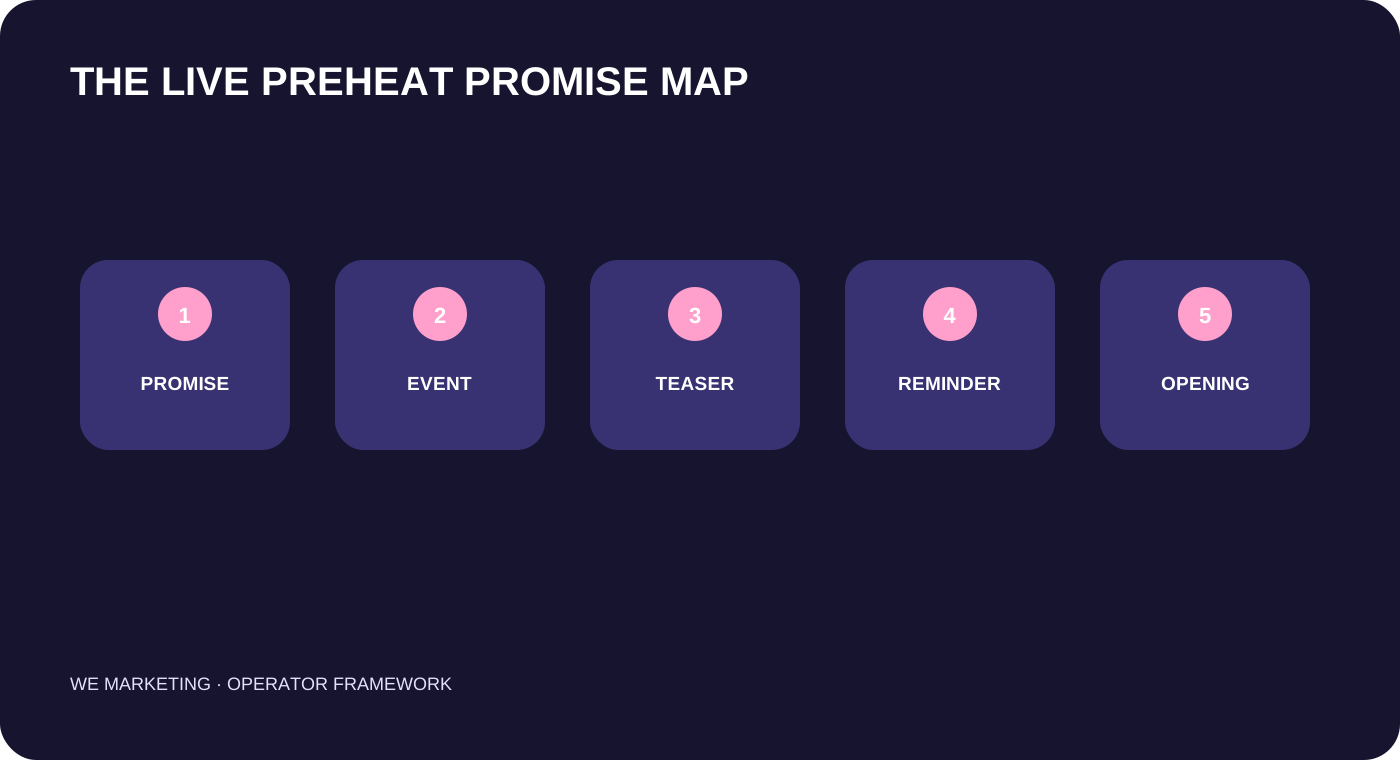
The WEM preheat system: five connected decisions
| Decision | Question to answer | Owner | Evidence to review |
|---|---|---|---|
| 1. Session promise | Why should this shopper enter this LIVE? | Brand lead + host | One-sentence buyer job and proof. |
| 2. Event object | Can the event describe time, value, and products accurately? | LIVE operator | Approved title, timing, image, and linked products. |
| 3. Teaser asset | Does the video communicate the promise in seconds? | Content owner | Hook, product proof, time, timezone, CTA. |
| 4. Distribution | Where will likely buyers see a consistent invitation? | Channel owner | Organic posts, owned channels, permitted promotion. |
| 5. Room handoff | Will the opening fulfill the invitation? | Host + operator | Script, pinned product, moderator notes, inventory check. |
1. Build the event as the source of truth
When LIVE Events are available to the account, use the scheduled event as the canonical session object. Current TikTok Shop guidance describes an event workflow with title, time, description, image, featured products, attendee management, and promotional sharing. It also warns that an event may be subject to review and that repeatedly missing scheduled events can create restrictions. These are reasons to schedule only after the team can actually honor the time, not reasons to treat an event as a guaranteed reach mechanism.
Audit the event details like a product page. The title should state a recognizable benefit, not just a broad category. The description should explain what will be demonstrated and who it is for. The time needs a timezone. The image, featured products, teaser, host opening, and offer language should agree. If the event title promises “routine building,” the first pinned product and first demonstration cannot suddenly become a generic discount round-up.
2. Make a teaser that earns attention and preserves the promise
Official Seller University guidance recommends a short teaser with the event time, product information, a countdown sticker where available, and a clear invitation. Its current LIVE Shopping lesson identifies teaser videos as a standard pre-LIVE preparation item; the teaser-video lesson suggests a hook, event details, and close. Use that structure as a production constraint, not a script to copy.
In the first seconds, identify the shopper situation or show the product proof. Then explain what will be shown live and when. Close with a single action: set a reminder, register, follow, or join at the stated time. A product may be included only when the listing, availability, price, and claims are ready for the room. Keep a preheat asset truthful when it travels off-platform too: viewers arriving from email, a creator page, or another social channel should see the same session promise.
3. Use timing as a testable operating hypothesis
Official sources use different timing guidance across materials: the current LIVE Shopping lesson says at least one teaser one day prior and promotion two hours before, while current LIVE Event and teaser guidance points to two to three days before an event. Treat these as source-specific planning ranges, not a universal performance guarantee. Choose a launch window based on the session type, existing audience cadence, content-production lead time, and the time needed to resolve a review or inventory issue. Record the actual publish times rather than assuming a scheduled post went live.
Use a simple sequence: confirm the session promise and product readiness; set up the event if available; publish the first invitation; check the event and linked asset in the live account; publish a reminder only if it adds a new useful reason to attend; then perform a final room handoff. Do not flood the same audience with slightly different claims. Repetition should increase clarity, not create a second unfulfillable promise.
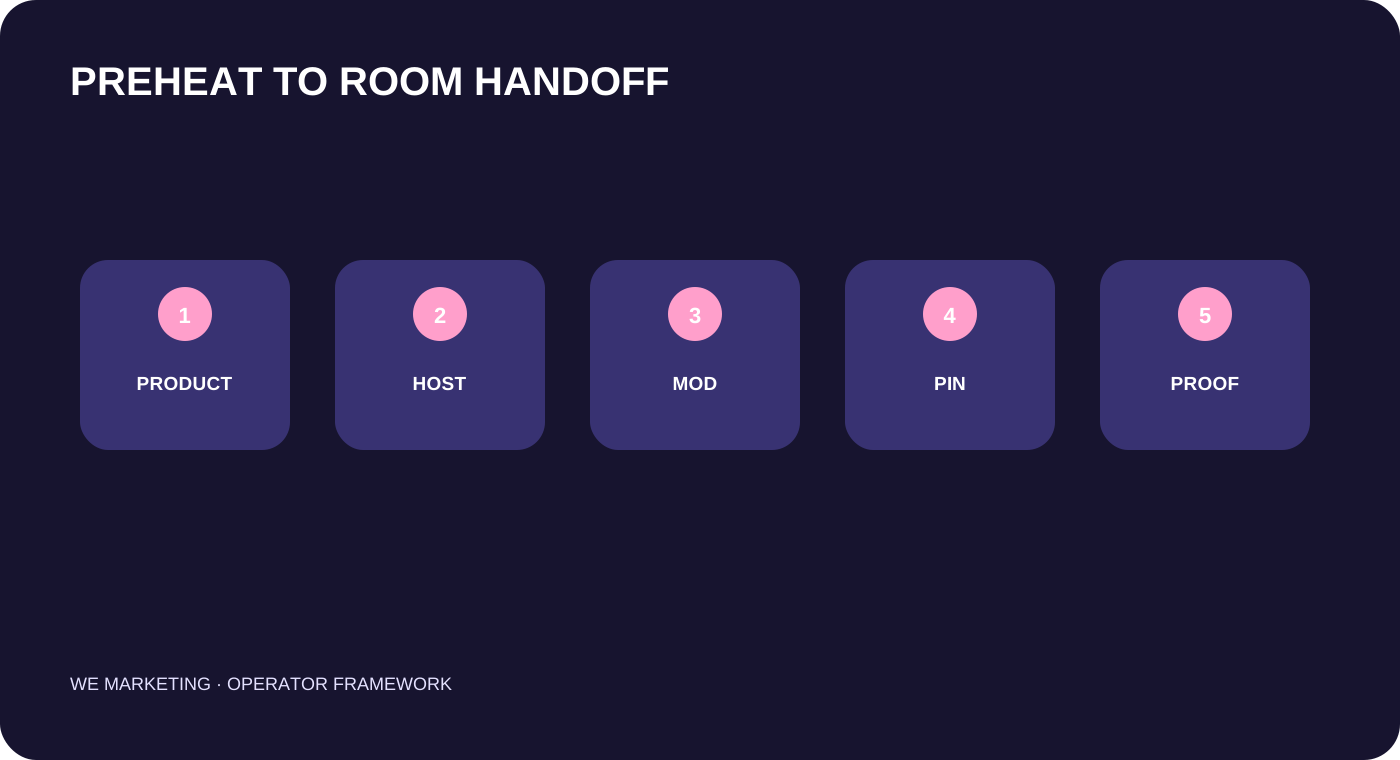
4. Put the host and moderator into the preheat loop
The host should review the teaser before it is published. They need the exact opening line, the proof moment, the featured products, the offer boundary, and the questions likely to appear. Current LIVE Shopping guidance includes prepared scripts, pinned products, and moderation in the same preparation system. That matters because a strong teaser can create the wrong result if the first minute of the LIVE is unprepared or the featured product is not pinned.
Moderators need a short briefing too: the session promise; verified product and offer language; common questions; escalation rules; and the words that should not be improvised. During the session, capture whether viewers repeat the promised question, whether they ask for the feature described in the teaser, and whether the room can direct them to the correct product. This turns preheat from a creative deliverable into evidence for the next event.
5. Read preheat evidence without inventing attribution
Do not declare a teaser successful just because it received views, or failed because one LIVE began slowly. Read a small chain of evidence: event and teaser publish status; watch and completion signals where available; comments or questions that reveal intent; registrations or reminder signals where available; opening-room arrivals; product clicks; and the quality of the questions asked during LIVE. Each metric has a different decision job. Missing data is unknown, not zero. Do not turn an unavailable account-level metric into a benchmark.
At the post-LIVE review, compare the preheat promise with what actually happened. Did the first three minutes show the promised proof? Did the host repeat the time-sensitive information accurately? Did shoppers ask the question the teaser was designed to surface? Did product links match the invitation? Assign only one important change to the next session, such as a clearer hook, a narrower featured set, a different proof moment, or a repaired opening handoff. Changing the time, offer, host, script, product set, and teaser all at once destroys the learning loop.
Hypothetical operating example
This is a hypothetical example, not a WEM client result. A home-goods brand plans a LIVE around a storage product. Its first brief says “huge deals and new arrivals,” but the host cannot explain which items will be shown. The team replaces it with one buyer job: show how the hero product solves a small-space organization problem. The event and teaser show the same item, time, and demonstration. The moderator prepares answers about dimensions and materials. During LIVE, shoppers ask for the comparison the teaser promised, so the team saves those questions for the next short video and listing FAQ. The result is a better operating input, not a claim that a teaser guarantees traffic or sales.
Smallest useful next action
Create a one-page preheat brief for the next LIVE. Write the audience, one entry reason, one proof moment, the exact time and timezone, the featured product, one CTA, the host opening, and the moderator escalation owner. Read that page beside the event and teaser before publishing. If any line conflicts, repair the promise before asking anyone to join.
Source notes and boundary
This original WEM operating framework draws on current U.S. TikTok Shop Seller University materials revalidated on August 21, 2026: TikTok LIVE Shopping, LIVE Events, and Captivate Your Audience with a Compelling Teaser Video. TikTok Shop features, event review, account eligibility, promotion options, and UI paths may change. Verify the current U.S. Seller Center before execution.
Related WEM guides: the first five LIVE sessions learning system, LIVE strategy for brands, and the weekly operating review.
Frequently asked questions
How early should we start preheating a TikTok Shop LIVE?
Use the live account and the current official guidance to choose a workable lead time. Official materials reference one day, two hours, and two to three days in different contexts; treat timing as a planning test, not a universal rule.
Do we need a LIVE Event for every session?
Use the current account options. If LIVE Events are available and appropriate, the event can provide one source of truth for time and promotion. If not, keep the same promise brief and verify every published detail.
What should a teaser promise?
Promise one truthful reason to enter, such as a demonstration, comparison, product focus, or answer to a buyer question. The LIVE must be prepared to deliver it immediately.
Should we boost every teaser?
No. Promotion controls and eligibility are account-specific. First make sure the room, product availability, claims, and opening handoff are ready; then verify current options in Seller Center before adding paid support.
Which metric proves that preheat worked?
No single metric proves it. Read the invitation, reminder or registration signals where available, opening arrivals, product intent, and whether the LIVE fulfilled the promised buyer job.
Can a preheat system fix a weak product or room?
No. It can create a more accurate and useful entry promise. It cannot replace product readiness, truthful listings, host preparation, inventory, fulfillment, or moderation.