WE Marketing · TikTok Shop U.S. · Shop Operations
Pre-Order, Made-to-Order or Backorder: Which Model Fits Your Product?
By the WE Marketing Team · Published July 29, 2026
Choose the model from the real source of the delay
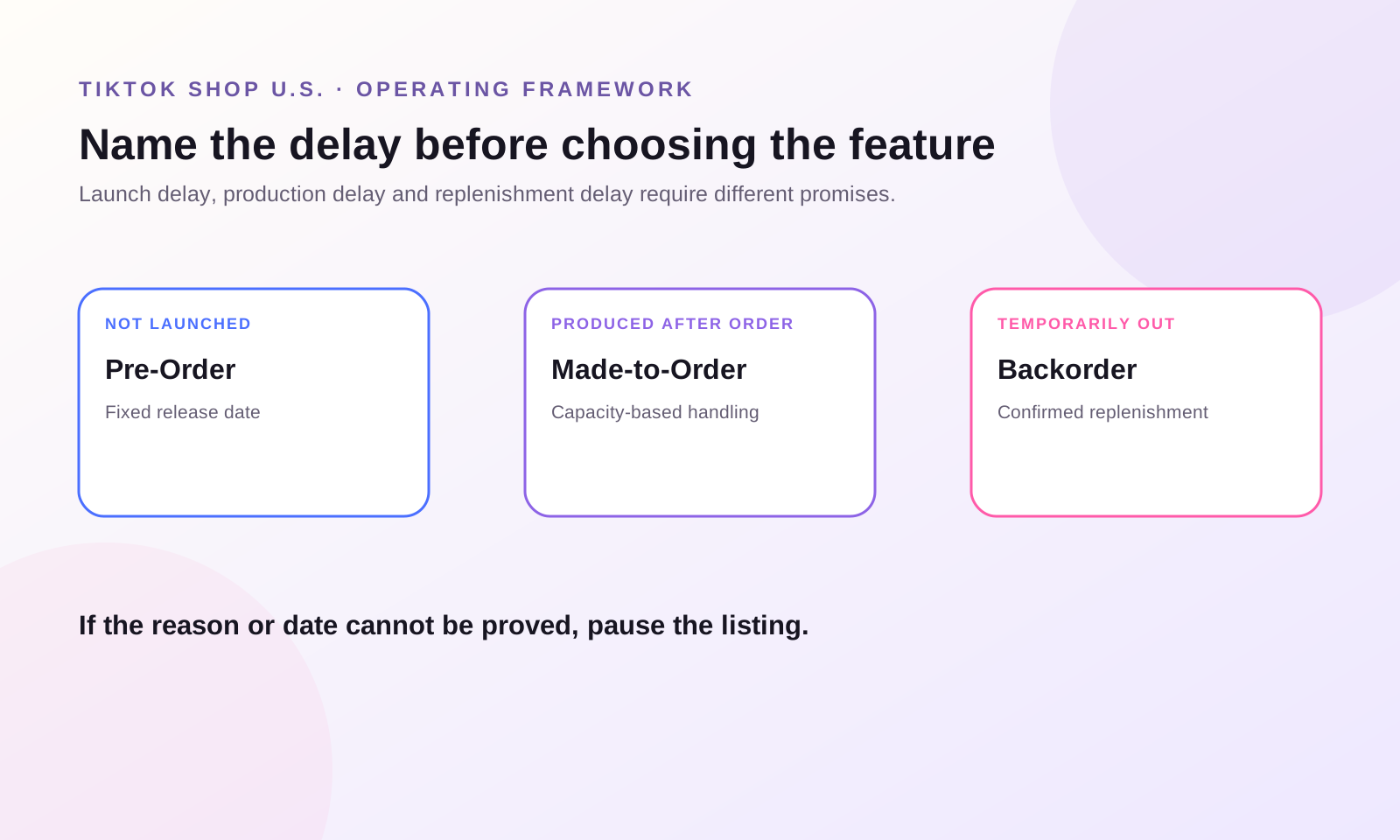
The right delayed-fulfillment model depends on why the product cannot ship now. Use Pre-Order for a genuinely unreleased product with a fixed launch date, Made-to-Order when production begins after purchase, and Backorder when a normally stocked product is temporarily unavailable but has a credible restock plan. If the reason is unclear, do not activate any of them.
These are not interchangeable labels for “slow shipping.” Each model creates a different customer promise, listing structure, inventory logic, payment timeline, fulfillment clock, return risk, and creator-content obligation.
WEM operating rule: name the source of the delay before choosing the feature. Launch delay, production delay, and replenishment delay need different controls.
Define the three models in operational terms
Pre-Order sells a product before its market release. The customer buys against a known release date. TikTok Shop’s current U.S. feature guide describes a release-date window of 3–60 calendar days, new listings only, and a release date that cannot be changed after publication.
Made-to-Order sells a product whose production begins or finishes after the order is placed. The current U.S. guide allows eligible products to use a 3–14 business-day handling time. It is for standardized production or limited variations, not a free-form custom commission that cannot be resold after a return.
Backorder keeps taking orders for a normally stocked product that is temporarily out of stock. Regular inventory sells first; backorder inventory becomes available after regular stock reaches zero. The promise is a credible restock and delayed shipment, not a new-product launch or post-purchase manufacturing process.
| Model | Why the product cannot ship now | Customer promise | Best fit | Wrong use |
|---|---|---|---|---|
| Pre-Order | The product has not officially launched | “This releases on a fixed date” | Limited editions, new models, planned drops | Using a future date to hide a stockout |
| Made-to-Order | The product must be produced after purchase | “Production time is included” | Standardized, repeatable production with limited options | Selling unrestricted personalized work or ordinary stock |
| Backorder | A normally stocked SKU is temporarily unavailable | “This will ship after a credible restock” | Short replenishment gaps with confirmed supply | Selling without a reliable restock date |
Use the WEM delay-source decision gate
Gate 1: Is the product new to the market?
Choose Pre-Order only when the product is genuinely unreleased and the business controls a realistic release date. A new color of an existing product is not automatically a new market release. A temporarily unavailable bestseller is not a pre-order.
The strongest Pre-Order candidates have a fixed production plan, approved packaging, a committed inbound schedule, a launch calendar, and content ready to explain why waiting is worthwhile. Demand excitement cannot replace release readiness.
Gate 2: Does production begin after the customer orders?
Choose Made-to-Order when the order triggers a standardized production process. The team should know the production steps, capacity per day, material constraints, quality-control point, handoff date, and what happens if the item is returned.
The product must remain operationally repeatable. A seller should not call an item made-to-order merely because the team is slow, inventory is low, or a supplier ships late. TikTok Shop’s current guide warns that misuse for non-customized products can remove feature access or cause penalties.
Gate 3: Is this a temporary replenishment gap?
Choose Backorder when the SKU normally exists in sellable stock and the delay comes from restocking. There should be a purchase order, supplier confirmation, inbound quantity, expected receiving date, warehouse owner, safety buffer, and a rule for stopping sales if the inbound plan changes.
Backorder is not permission to sell imaginary inventory. The allowed backorder quantity should be the smaller of confirmed inbound units minus safety stock or the volume the team can fulfill inside the promised handling time.
Gate 4: Would regular inventory or no listing be more honest?
If the product is in stock but simply needs longer warehouse handling, investigate the appropriate handling-time option rather than mislabeling it as Pre-Order, Made-to-Order, or Backorder. If the supply plan is not reliable enough to support a date, pausing the listing may protect trust better than collecting delayed orders.
Compare the operational burden before choosing
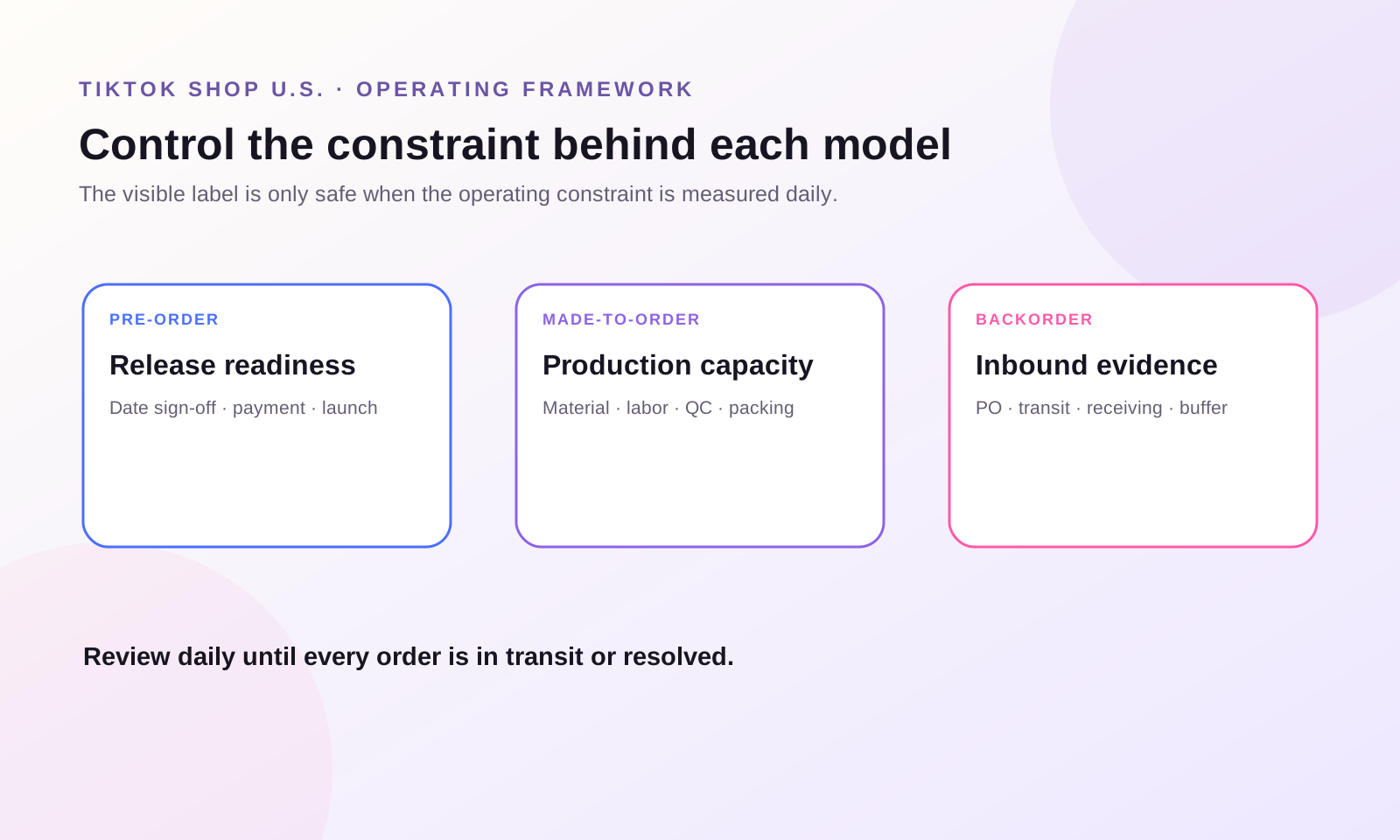
The feature is only the visible layer. The operating burden sits behind it.
For Pre-Order, the release date is the control point. The listing, creator content, warehouse plan, customer messaging, and launch calendar must use the same date. The current guide says a published release date cannot be modified, so teams need a formal date sign-off before listing.
For Made-to-Order, production capacity is the control point. Daily order intake must stay within materials, labor, quality control, packing, and carrier-handoff capacity. One viral creator video can turn a manageable queue into late dispatches if the listing inventory is not connected to real production slots.
For Backorder, inbound supply is the control point. The team must monitor purchase-order changes, inbound scans, receiving delays, SKU-level allocation, regular inventory, and backorder inventory. If one signal changes, the available backorder quantity and customer promise must change with it.
Build one promise ledger before publishing
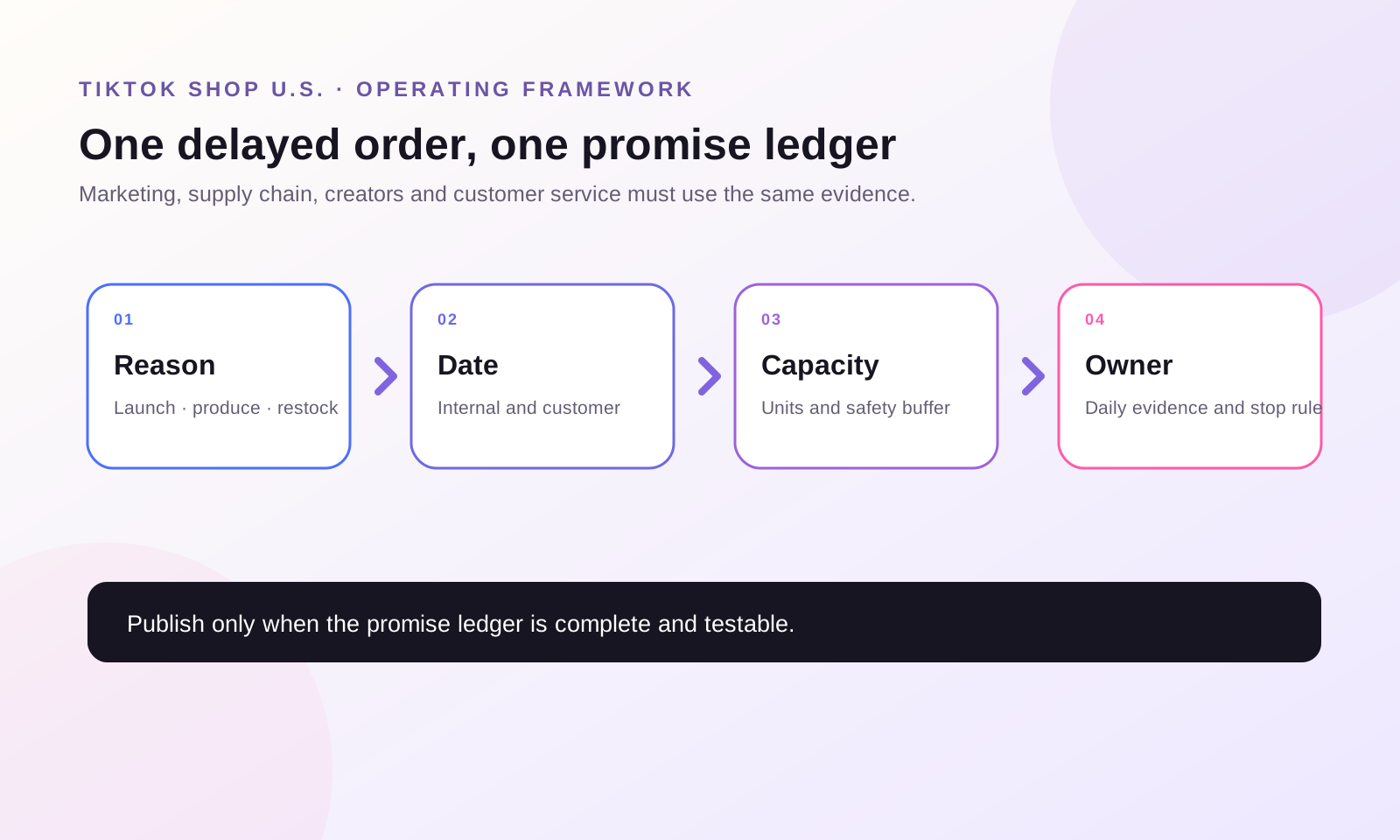
Create a simple row for every delayed-fulfillment SKU:
- SKU and listing ID;
- chosen model and exact reason;
- customer-facing date or handling time;
- internal ready date with safety buffer;
- confirmed quantity or production capacity;
- inventory, production, and customer-service owners;
- creator links and scheduled content;
- cancellation, refund, and return path;
- stop-selling trigger;
- daily evidence source.
The promise ledger prevents marketing, supply chain, creator, and customer-service teams from carrying different dates.
Pre-Order: launch only when the date is defensible
TikTok Shop’s U.S. guide says Pre-Order is available to select qualified sellers, applies to new listings, and uses a release date 3–60 calendar days ahead. Orders remain in “Awaiting release” until the release date. Payment is pre-authorized when the customer orders and captured when the order ships; failed re-authorization can cancel the order.
That payment timeline matters. Gross pre-order volume is not the same as captured revenue. Long waits can create payment re-authorization failures, cancellations, support questions, and creator-content fatigue.
Before publishing:
1. Confirm feature access and the account time zone. 2. Lock the release date with product, packaging, compliance, inbound, and warehouse owners. 3. Create a new listing with accurate pre-order language. 4. Set SKU-level release dates carefully. 5. Hold an internal ready date earlier than the customer-facing date. 6. Prepare customer updates for on-track, at-risk, and cancellation scenarios. 7. Schedule creator content so interest peaks near a date the business can honor.
Do not use Pre-Order as a demand test when the business has not approved production. A waitlist, lead form, or content test can measure interest without collecting an order promise.
Made-to-Order: sell production capacity, not unlimited demand
TikTok Shop’s current U.S. guide describes Made-to-Order as a new-listing option for eligible sellers and categories with 3–14 business days of handling time. The seller must first enable the feature at shop level, then create an eligible new listing.
Treat inventory as production slots. If one unit needs forty minutes of skilled labor and the team has twenty available labor hours before the cutoff, the sellable capacity is not the number of raw blanks in the building. It is the number of units that can be produced, checked, packed, and handed to the carrier on time.
Use a capacity formula:
Sellable MTO units = minimum(material capacity, labor capacity, quality-control capacity, packing capacity) minus safety buffer
For creator campaigns, set a content-release cap. Do not let several large creators post simultaneously unless production capacity has been reserved for the expected demand range. The goal is not to suppress growth; it is to prevent marketing from selling time the operation does not have.
Backorder: connect every unit to a credible inbound plan
TikTok Shop’s current U.S. guide allows eligible sellers to activate Backorder for new or existing products, set SKU-level backorder units and handling time, and sell backorder inventory after regular stock sells out. It also documents current limits and fulfillment behavior that sellers must confirm in their own account.
Build backorder inventory from confirmed evidence:
Available backorder units = confirmed inbound quantity - committed allocations - damage allowance - safety stock
Review it daily. A purchase order is not the same as a received unit. If the supplier misses a milestone, transportation changes, customs holds the shipment, or the warehouse receiving queue grows, reduce or deactivate backorder immediately.
Customers may receive regular and backordered items separately. Customer service therefore needs a clear explanation of split shipments, estimated delivery dates, cancellations, refunds, and replacement limitations.
Official eligibility pages are not perfectly synchronized
The current Made-to-Order feature guide and the Custom Order Requirements page display different eligibility thresholds in some places. That conflict is exactly why teams should not build a launch plan from a copied number.
Use the official pages to understand the model and obligations, then treat the live Fulfillment Performance page in the seller’s current account as the acceptance gate. Record the date, visible status, unmet conditions, and owner. Feature access today is not permanent; performance or policy changes may remove it.
Run a seven-step delayed-order release
1. Classify the delay: launch, production, replenishment, or none. 2. Confirm current account and SKU eligibility. 3. Map the customer promise and internal earlier date. 4. Set capacity or inventory from verified evidence. 5. Test listing, checkout, order status, fulfillment, cancellation, refund, and return paths. 6. Align creators, customer service, and supply operations to one promise ledger. 7. Review daily until every delayed order becomes an in-transit order or a resolved exception.
The right model is the one the operation can prove every day, not the one that keeps the product purchasable longest.
A 30-minute next action
Choose one SKU the team cannot ship today. Write one sentence explaining why. If the sentence says “not launched,” test Pre-Order readiness. If it says “we make it after purchase,” test Made-to-Order capacity. If it says “temporarily out of stock,” test Backorder evidence. Then write the internal ready date, customer-facing date, quantity, owner, and stop-selling trigger. If any field is missing, do not activate the feature yet.
Sources and operating boundaries
Primary TikTok Shop U.S. Academy material read in full on July 29, 2026: “How to Use Pre-Order (PO) Feature,” “Made-to-Order (MTO),” “Backorder (BO),” and “Custom Order Requirements.” Feature access, thresholds, category coverage, interfaces, limits, and dispatch rules can change and are not perfectly synchronized across current official pages. Confirm the live Fulfillment Performance page and applicable policies before launch.
The delay-source decision gate, promise ledger, capacity formulas, release sequence, and creator-content controls are WE Marketing operating methods. Examples are operational examples, not client results. No performance outcome is guaranteed.
Frequently asked questions
What is the simplest difference between Pre-Order, Made-to-Order, and Backorder?
Pre-Order is for an unreleased product with a fixed launch date. Made-to-Order is for a product produced after purchase. Backorder is for a normally stocked product that is temporarily unavailable and will be replenished.
Can I use Pre-Order for an out-of-stock bestseller?
No. TikTok Shop’s Custom Order Requirements says not to use Pre-Order for temporarily out-of-stock or backordered items. Use Backorder only if eligible and supported by a credible restock plan.
Can an existing listing become Pre-Order or Made-to-Order?
The current U.S. guides describe both as new-listing options. Backorder can be applied to new or existing listings. Confirm the current control in the seller’s account before changing anything.
Is Made-to-Order the same as a fully customized product?
No. The official material distinguishes Made-to-Order from buyer-customized products. The production method should be standardized or limited in variation, and the item should remain resellable if returned.
How much Backorder inventory should I publish?
Use confirmed inbound quantity minus committed allocations, expected damage, and safety stock. Do not use an optimistic supplier forecast as sellable inventory.
What happens if the Pre-Order release date slips?
The current guide says the release date cannot be changed after publication. That makes internal safety buffer, accurate customer communication, and a cancellation-resolution plan essential.
Which model is best for testing demand?
None automatically. If supply, production, or release readiness is not approved, test demand through content, waitlists, landing pages, or other non-order signals rather than collecting a fulfillment promise the operation cannot support.
WE Marketing · TikTok Shop 美国站 · Shop Operations
预售、定制生产还是缺货预订:TikTok Shop 延迟履约模式怎么选?
WE Marketing Team · 2026 年 7 月 29 日
先按真实延迟原因选择模式
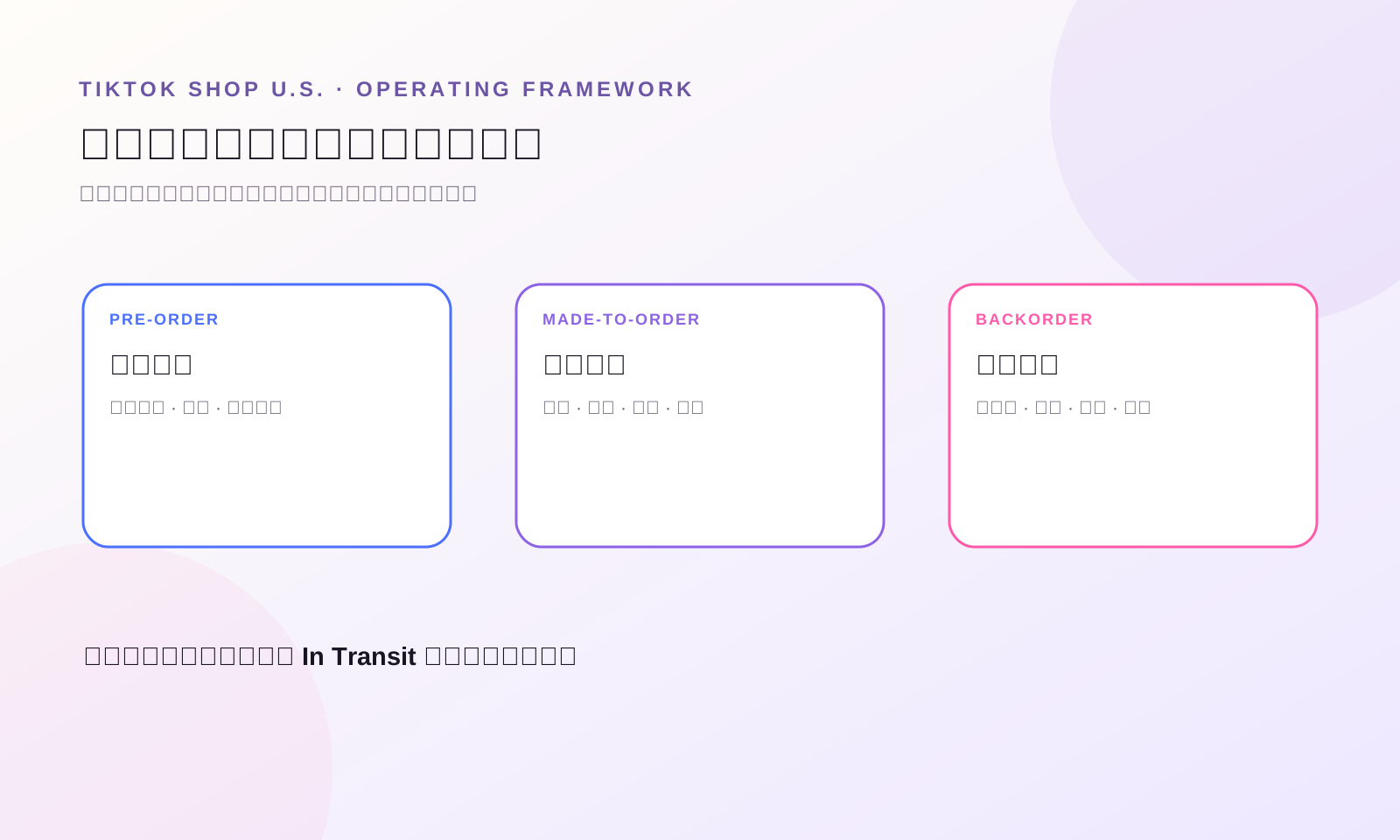
选择哪一种延迟履约模式,先看商品今天为什么不能发货。真正还没上市、已有固定发布日期的新品,用 Pre-Order;消费者下单后才开始生产的标准化商品,用 Made-to-Order;平时有现货、只是暂时缺货且已有可信补货计划的商品,用 Backorder。如果团队说不清延迟原因,三种功能都不应该开。
它们不是“发货慢”的三种叫法。不同模式会改变消费者承诺、Listing 身份、库存逻辑、收款时间、履约倒计时、退货风险和达人内容节奏。
WEM 运营原则:先说清延迟来自哪里,再选功能。上市延迟、生产延迟和补货延迟,必须用不同控制方式。
用运营语言定义三种模式
Pre-Order 是商品正式上市前先销售。消费者购买的是一个明确发布日期。TikTok Shop 当前美国站资料显示,发布日期通常设置在未来 3–60 个日历日,只能用于新 Listing,而且发布后不能修改日期。
Made-to-Order 是收到订单后才开始或完成生产。当前美国站资料给出的 handling time 是 3–14 个工作日,适合标准化工艺或有限选项,不适合无法退回后二次销售的无限个性化委托。
Backorder 是平时应该有现货的 SKU 暂时缺货,但已有补货计划。常规库存先售完,再使用 backorder inventory。它承诺的是可信补货,不是新品首发,也不是下单后生产。
| 模式 | 今天不能发货的原因 | 消费者承诺 | 适合 | 错误用法 |
|---|---|---|---|---|
| Pre-Order | 商品还没正式上市 | 固定日期发布 | 新品、限量款、计划中的 Drop | 用未来日期掩盖缺货 |
| Made-to-Order | 下单后才生产 | 交付时间包含生产周期 | 标准化生产、有限选项 | 普通库存不足或无限个性化 |
| Backorder | 常规商品暂时缺货 | 补货后延迟发出 | 有确认到货计划的短期断货 | 没有可信补货日期仍继续卖 |
WEM Delay-Source 决策 Gate
Gate 1:这是还没上市的新品吗?
只有商品真正未上市,而且团队能控制一个现实发布日期时,才评估 Pre-Order。已有商品增加一个颜色,不一定等于全新市场发布;暂时缺货的爆款也不是 Pre-Order。
适合预售的商品,应该已经有明确生产计划、确认包装、入仓时间、发布节奏和解释“为什么值得等”的内容。热度不能替代交付准备。
Gate 2:订单是否触发生产?
如果消费者下单后才进入标准化生产流程,评估 Made-to-Order。团队必须知道每一步工艺、每天产能、原料限制、质检节点、交付仓库日期,以及退回商品如何处理。
不能因为团队动作慢、库存少或供应商晚发货,就把普通商品标成 Made-to-Order。当前官方资料提醒,非适用商品滥用此功能,可能失去权限或受到处罚。
Gate 3:这是暂时补货缺口吗?
如果 SKU 平时有现货,只是短期补货中,评估 Backorder。上线前至少要有采购单、供应商确认、入库数量、预计收货日、仓库 owner、安全缓冲和补货变化后的停售规则。
Backorder 不是销售“想象库存”。可售数量应该取“确认到货量减安全库存”和“团队能在承诺 handling time 内完成的数量”中的较小值。
Gate 4:普通库存或暂停销售是否更诚实?
如果商品其实有库存,只是仓库处理较慢,应该核查适合的 handling-time 功能,而不是错误使用 Pre-Order、Made-to-Order 或 Backorder。如果供应计划还不能支撑一个可信日期,暂停售卖通常比收下延迟订单更能保护信任。
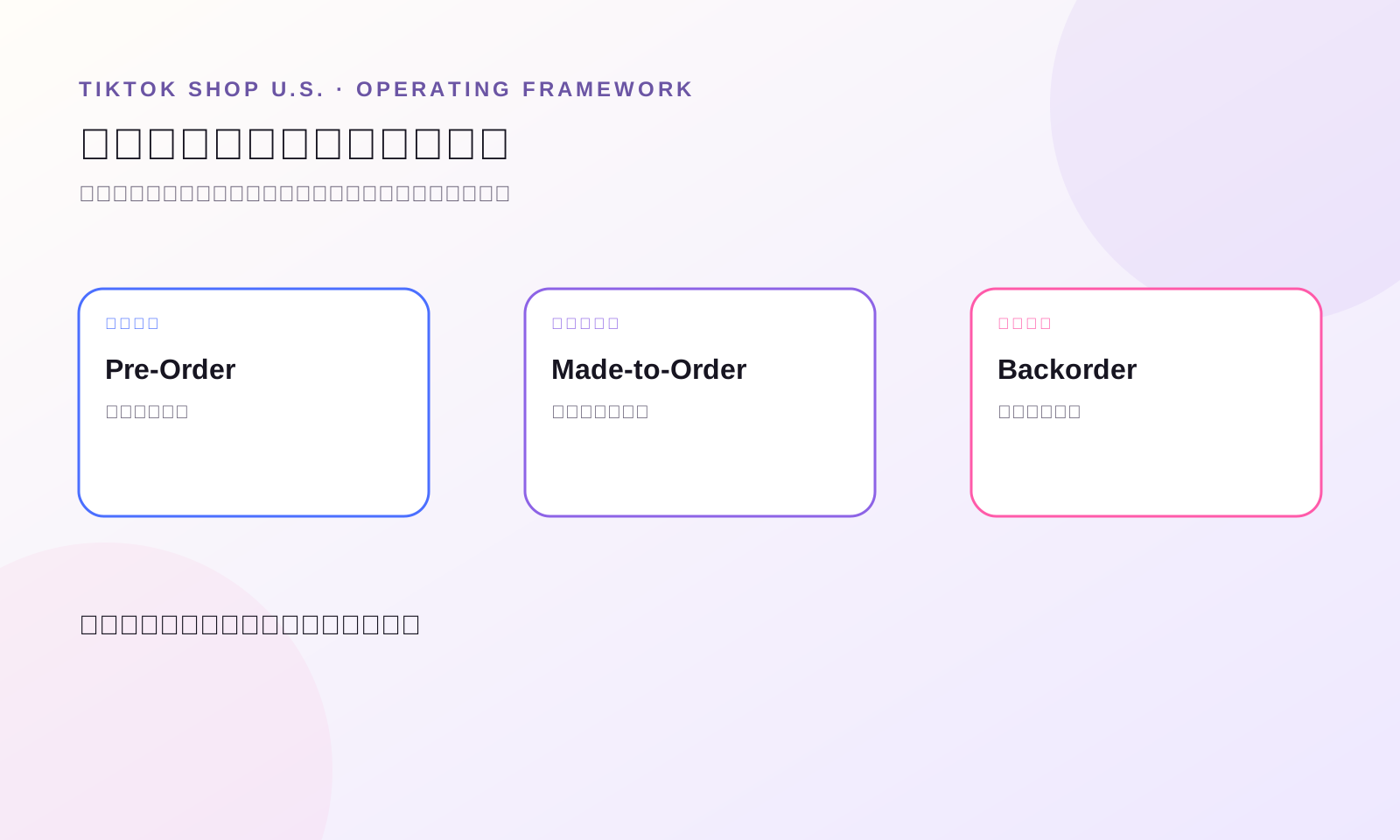
先比较运营负担,再选择功能
消费者看到的是一个标签,团队承担的是后面的运营系统。
Pre-Order 的控制点是发布日期。Listing、达人内容、仓库计划、客服话术和发布日历必须使用同一个日期。因为当前资料显示日期发布后不能修改,上线前必须正式签字确认。
Made-to-Order 的控制点是生产产能。每日订单量必须小于原料、人工、质检、打包和交接承运商的真实能力。一个达人视频突然爆量,就可能把可控队列变成延迟发货。
Backorder 的控制点是入库证据。团队每天要看采购单变化、运输节点、仓库收货、SKU 分配、常规库存和 Backorder 库存。任何信号变化,可售数量和消费者承诺都要同步调整。
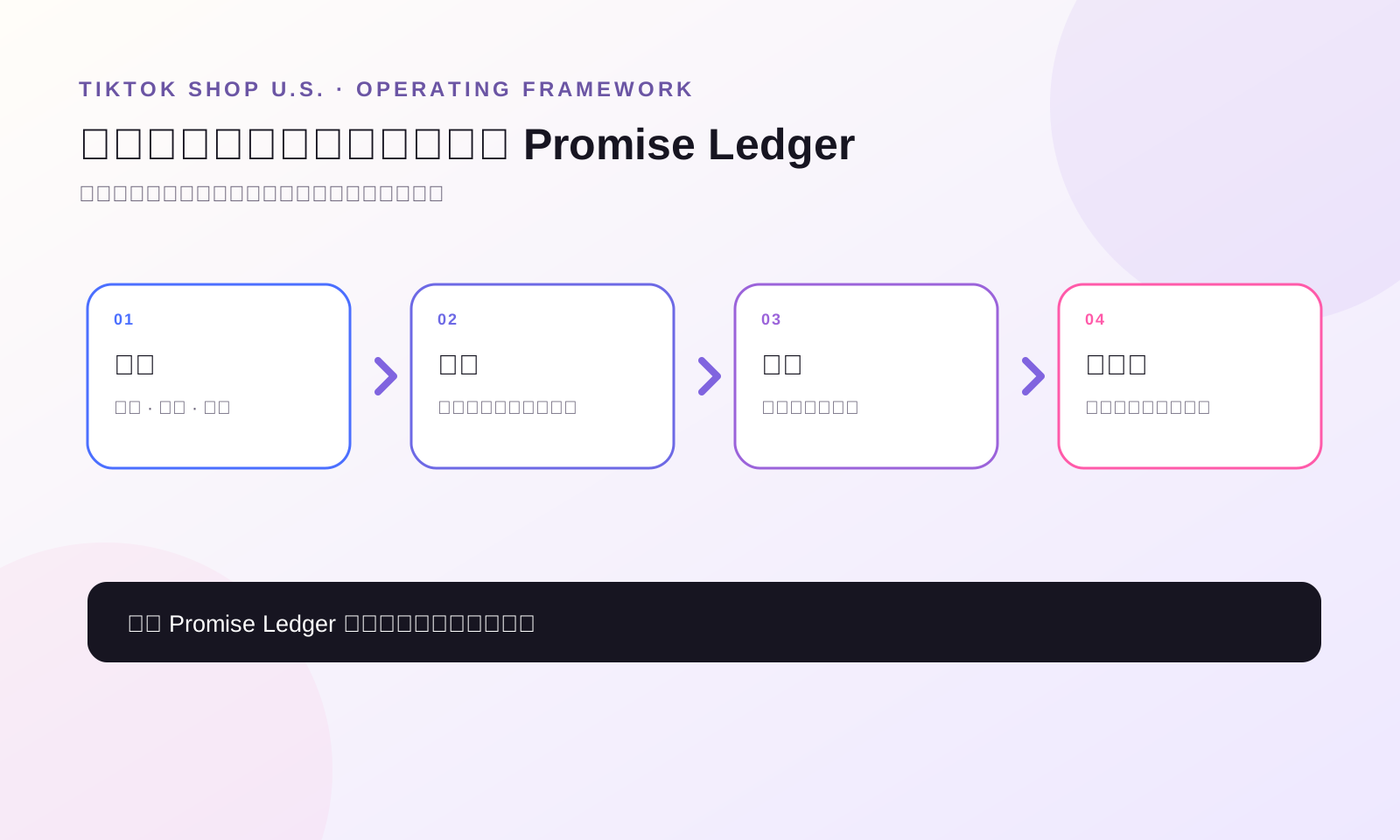
上线前建立一张 Promise Ledger
每一个延迟履约 SKU 都建立一行:
- SKU 和 Listing ID;
- 选择的模式与真实原因;
- 对消费者展示的日期或 handling time;
- 留有缓冲的内部 ready date;
- 已确认数量或生产产能;
- 库存、生产和客服 owner;
- 达人链接与计划内容;
- 取消、退款和退货路径;
- stop-selling trigger;
- 每天更新证据的来源。
这张表的作用,是防止营销、供应链、达人和客服各自拿着不同日期。
Pre-Order:只有日期可证明,才启动预售
当前美国站资料把 Pre-Order 限定给部分符合条件的卖家,只能建立新 Listing,并设置未来 3–60 个日历日的发布日期。订单在发布日期前保持 Awaiting release。消费者下单时先预授权,发货时再次授权并收款;如果再次授权失败,订单可能取消。
所以预售 GMV 不等于已收收入。等待越久,越需要考虑支付失败、取消、客服咨询和达人内容热度下降。
上线顺序:
1. 确认账户权限和时区; 2. 让产品、包装、合规、运输和仓库共同锁定发布日期; 3. 新建准确标注 Pre-Order 的 Listing; 4. 谨慎设置 SKU 日期; 5. 内部 ready date 必须早于消费者看到的日期; 6. 准备正常、风险和取消三种客服话术; 7. 让达人内容在团队能兑现的日期附近集中释放。
如果生产还没批准,不要用 Pre-Order 测需求。可以先用内容、Waitlist 或 Landing Page 测试兴趣,避免提前收下履约承诺。
Made-to-Order:销售真实产能,不是无限订单
当前美国站资料把 Made-to-Order 定义为部分卖家和类目可用的新 Listing 功能,handling time 为 3–14 个工作日。卖家先在店铺层级开启权限,再建立符合条件的新商品。
把库存理解为“生产档位”。如果一件商品需要 40 分钟人工,而截止前只有 20 个工时,可售数量不能按仓库里有多少空白原料算,而要按能完成生产、质检、打包并准时交给承运商的数量算。
MTO 可售数量 = 原料产能、人工产能、质检产能、打包产能中的最小值 - 安全缓冲
达人投放也要设置内容释放上限。没有预留生产能力时,不要让多个大达人同时发。目的不是限制增长,而是避免营销卖出运营没有的时间。
Backorder:每一个可售单位都要对应可信到货计划
当前美国站资料允许符合条件的卖家为新商品或现有商品开启 Backorder,按 SKU 设置数量和 handling time,并在常规库存归零后使用 Backorder 库存。具体限制和履约行为必须在当前账户再次确认。
Backorder 可售数量 = 确认到货量 - 已承诺分配 - 预计损耗 - 安全库存
每天复核。采购单不是入库商品。如果供应商错过节点、运输方式变化、清关延迟或仓库收货排队,就要立即减少或关闭 Backorder。
消费者同时购买现货和 Backorder 商品时,可能收到拆分包裹。客服必须能解释多个包裹、预计送达、取消退款和无法换货等情况。
官方资格页面并不完全同步
当前 Made-to-Order 功能指南与 Custom Order Requirements 在部分资格门槛上显示不同数字。正因为如此,团队不能从一篇资料复制一个数字,就把它当成长期规则。
官方资料用于理解模型和义务;真正的上线 Gate 应该是卖家当前账户里的 Fulfillment Performance 页面。记录核验日期、显示状态、未满足条件和负责人。今天有权限,不代表永远有权限。
七步延迟订单发布流程
1. 分类延迟:上市、生产、补货,还是都不是; 2. 确认当前账户和 SKU 资格; 3. 设定消费者承诺与更早的内部日期; 4. 用已验证证据计算产能或库存; 5. 测试 Listing、结账、订单状态、履约、取消、退款和退货; 6. 让达人、客服和供应运营共用一张 Promise Ledger; 7. 每日复核,直到所有延迟订单进入 In Transit 或完成异常处理。
正确的模式,不是让商品保持可购买时间最长的模式,而是团队每天都能拿出证据证明的模式。
今天可以做的 30 分钟动作
选一个今天不能发货的 SKU,用一句话写清原因。如果是“还没上市”,检查 Pre-Order readiness;如果是“下单后才生产”,检查 Made-to-Order capacity;如果是“暂时缺货”,检查 Backorder inbound evidence。然后填上内部日期、消费者日期、数量、owner 和停售触发条件。任何一项缺失,都先不要开功能。
来源与边界
本文在 2026 年 7 月 29 日完整阅读了 TikTok Shop 美国站 Academy 的 “How to Use Pre-Order (PO) Feature”、“Made-to-Order (MTO)”、“Backorder (BO)” 和 “Custom Order Requirements”。当前官方页面在部分资格数字上并不完全同步;功能权限、门槛、适用品类、界面、数量限制和履约规则都可能变化。上线前必须核验当前账户的 Fulfillment Performance 页面和适用政策。
Delay-Source 决策 Gate、Promise Ledger、产能公式、发布流程和达人内容控制属于 WE Marketing 的运营方法。文中均为运营示例,不是客户结果,也不承诺业绩。
常见问题
Pre-Order、Made-to-Order 和 Backorder 最简单的区别是什么?
Pre-Order 是未上市新品按固定日期发布;Made-to-Order 是收到订单后生产;Backorder 是常规现货商品暂时缺货、确认补货后延迟发出。
缺货爆款可以改成 Pre-Order 吗?
不应该。Custom Order Requirements 明确说不能用 Pre-Order 处理暂时缺货或 Backorder 商品。只有账户符合资格且有可信补货计划时,才评估 Backorder。
现有 Listing 可以改成 Pre-Order 或 Made-to-Order 吗?
当前美国站资料把两者都描述为新 Listing 功能。Backorder 可以用于新商品或现有商品。任何修改前都要在当前卖家账户核验实际控制项。
Made-to-Order 等于完全个性化定制吗?
不等于。官方资料把 Made-to-Order 与 buyer-customized product 区分开,生产方式应标准化或只有有限选项,而且退回后仍应可以再次销售。
Backorder 数量应该设置多少?
用确认到货量减去已分配数量、预计损耗和安全库存。不要把乐观的供应商预测直接当成可售库存。
如果 Pre-Order 日期延迟怎么办?
当前资料显示发布日期发布后不能修改,所以内部必须留出安全缓冲,并提前准备风险沟通和取消处理方案。
哪一种模式最适合测试需求?
都不一定。如果供应、生产或发布日期还没批准,先用内容、Waitlist、Landing Page 等不收订单的方法测试需求,不要先收下团队无法证明能兑现的履约承诺。