TIKTOK SHOP U.S. · AI OPERATIONS
Manage 20+ TikTok Shop SKUs With Smart Assistant Without Optimizing Everything
WE Marketing Team · Sep 1, 2026 · 16 min read
Direct answer: manage the exception queue, not every SKU at once
Once a TikTok Shop catalog grows past 20 SKUs, the operating problem changes. The team no longer needs another generic listing checklist applied to every product. It needs a repeatable way to decide which products deserve discovery work, which are ready to list, which need one controlled optimization, which require diagnosis, and which should simply be monitored. Smart Assistant can accelerate that work, but it should not turn every suggestion into an immediate catalog-wide change.
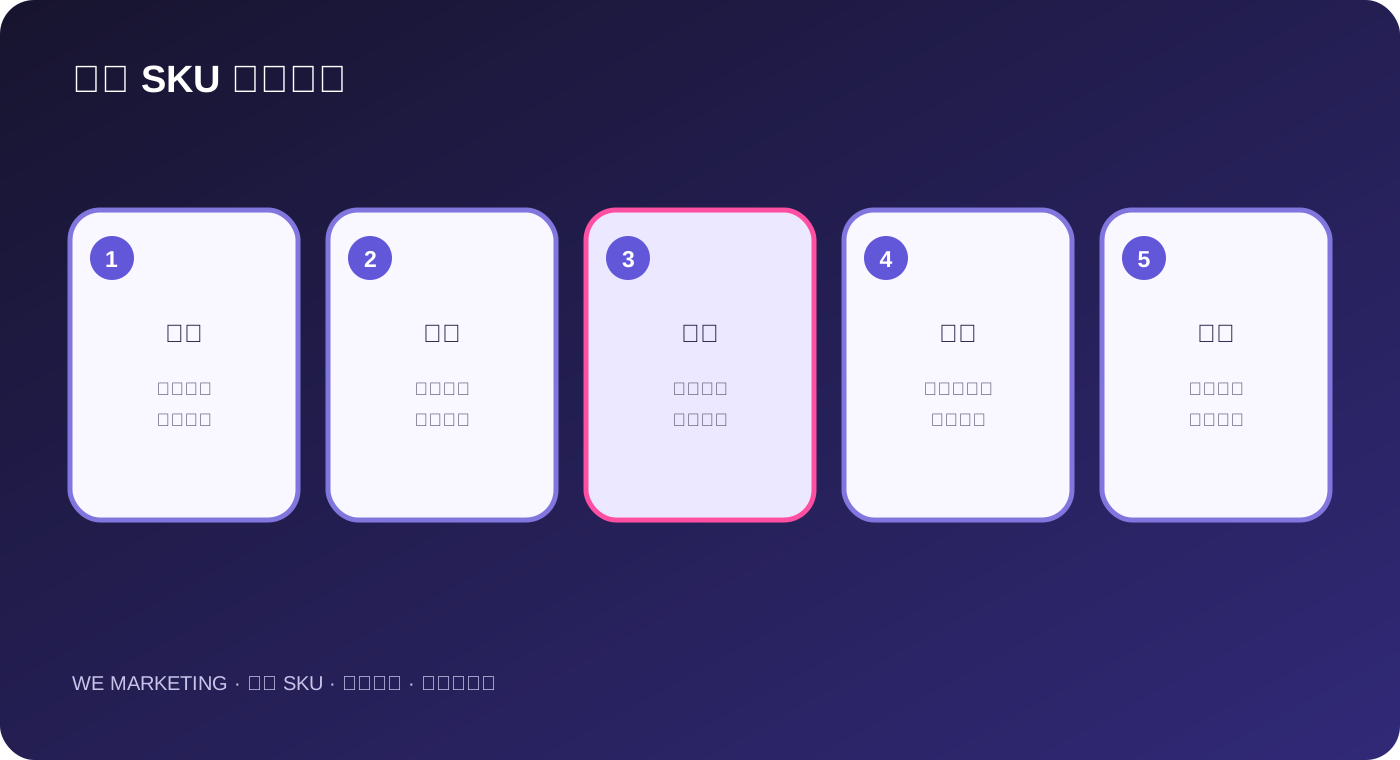
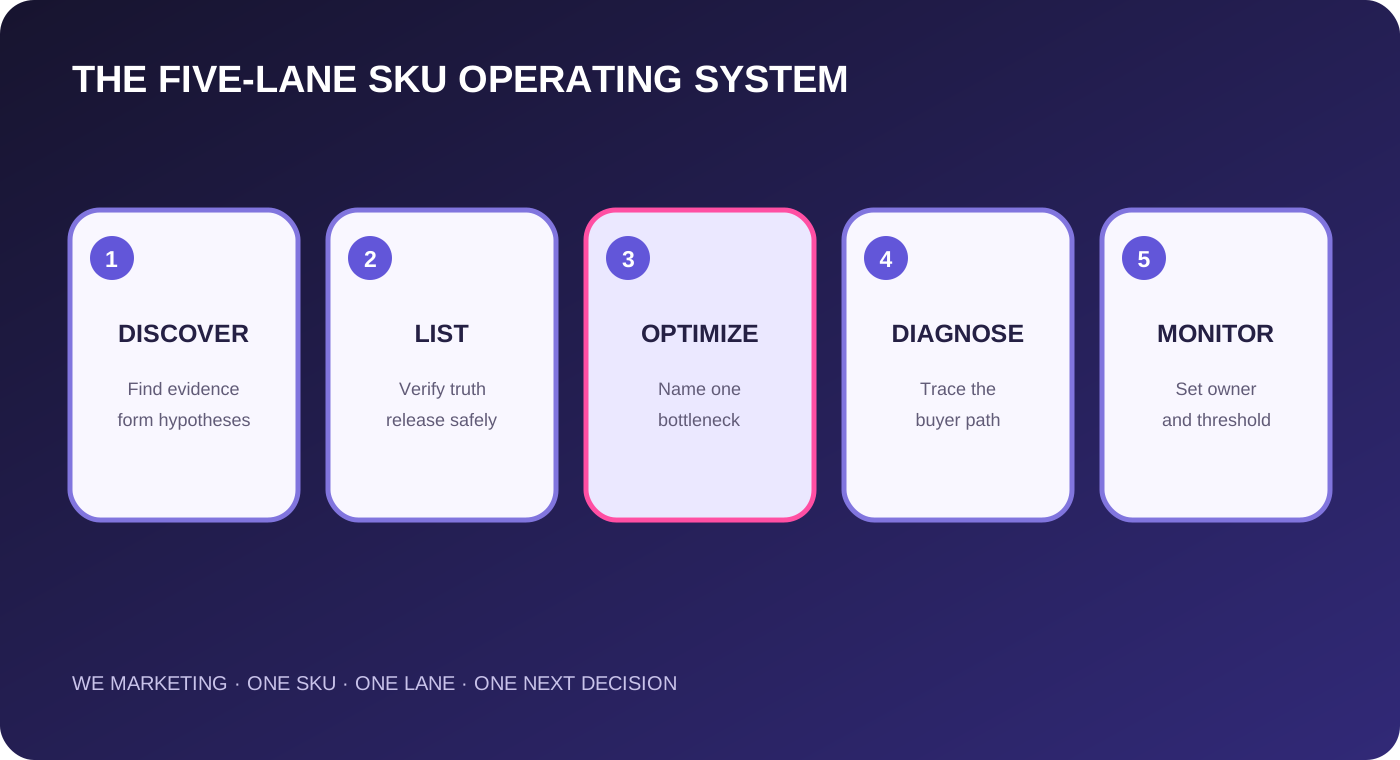
Current TikTok Shop U.S. Seller University material organizes the multi-product workflow around five jobs: Discover, List, Optimize, Diagnose, and Monitor. It describes opportunity discovery, assisted listing, SEO opportunities, Smart Product Analysis, Smart Product Watch, and peer benchmarks. WEM turns those capabilities into a priority system: use AI to surface the queue, use native product and business evidence to rank it, release one bounded change, then read the live result before moving to the next item.
For a 20-plus-SKU shop, the goal is not to optimize everything. The goal is to make the highest-value next decision with the least avoidable catalog risk.
Why catalog size creates a prioritization problem
A small catalog can be reviewed product by product. At 20, 50, or 200 SKUs, that habit becomes expensive and misleading. Products have different demand signals, margins, inventory positions, content coverage, listing quality, lifecycle stages, and operational risks. A universal optimization sprint treats these differences as noise. It can spend hours improving a low-opportunity item while a high-demand product remains out of stock, miscategorized, unsupported by creator content, or difficult to understand.
Large-catalog work also creates change collision. A title rewrite, price change, image update, commission adjustment, and inventory correction may all affect the same product and buyer path. If the team changes several levers across many SKUs at once, performance movement becomes hard to interpret. Prioritization therefore has two duties: choose the next product and limit the next intervention. The catalog should behave like a controlled queue, not a permanent mass-edit project.
Start with a product evidence table
Build one row per product using facts the team can read from the current shop and its operating records. Include product ID, lifecycle status, sellable inventory, replenishment risk, margin or contribution guardrail, recent demand signal, product-page completeness, search opportunity, creator-content coverage, customer questions or review themes, open policy or fulfillment issues, and the last material change. Add an owner and evidence timestamp. If a field is unavailable, write unknown. Do not convert missing data into zero or a passing score.
The table is not meant to reproduce every Seller Center metric. It is a decision surface. A field belongs only when it can change which SKU receives attention or which action is safe. For example, a search opportunity matters only if the product is sellable and the proposed language is truthful. Strong views do not justify pushing a product whose inventory or customer experience is unstable. A low-traffic item may deserve no work when its commercial role is minor.
| Evidence family | Question | Possible consequence |
|---|---|---|
| Demand | Is there current buyer, search, content, or peer evidence? | Raise or lower priority |
| Readiness | Can the product be listed and understood truthfully? | List, repair, or hold |
| Economics | Can the next order clear the brand's guardrail? | Optimize, constrain, or stop |
| Supply | Can the shop support additional demand? | Release or delay demand work |
| Learning | Will one bounded change produce a useful readback? | Test now or monitor |
Lane 1: Discover opportunities without creating an automatic launch list
Use opportunity discovery and peer benchmarks to form hypotheses. A product, keyword, category, or price pattern may appear promising because shoppers or comparable sellers are showing activity. That is a reason to investigate, not proof that the item fits the brand. Check whether the product is eligible, in stock, economically viable, differentiated, and supported by accurate assets. Confirm that a peer comparison is genuinely comparable in category, price, pack size, promise, and audience.
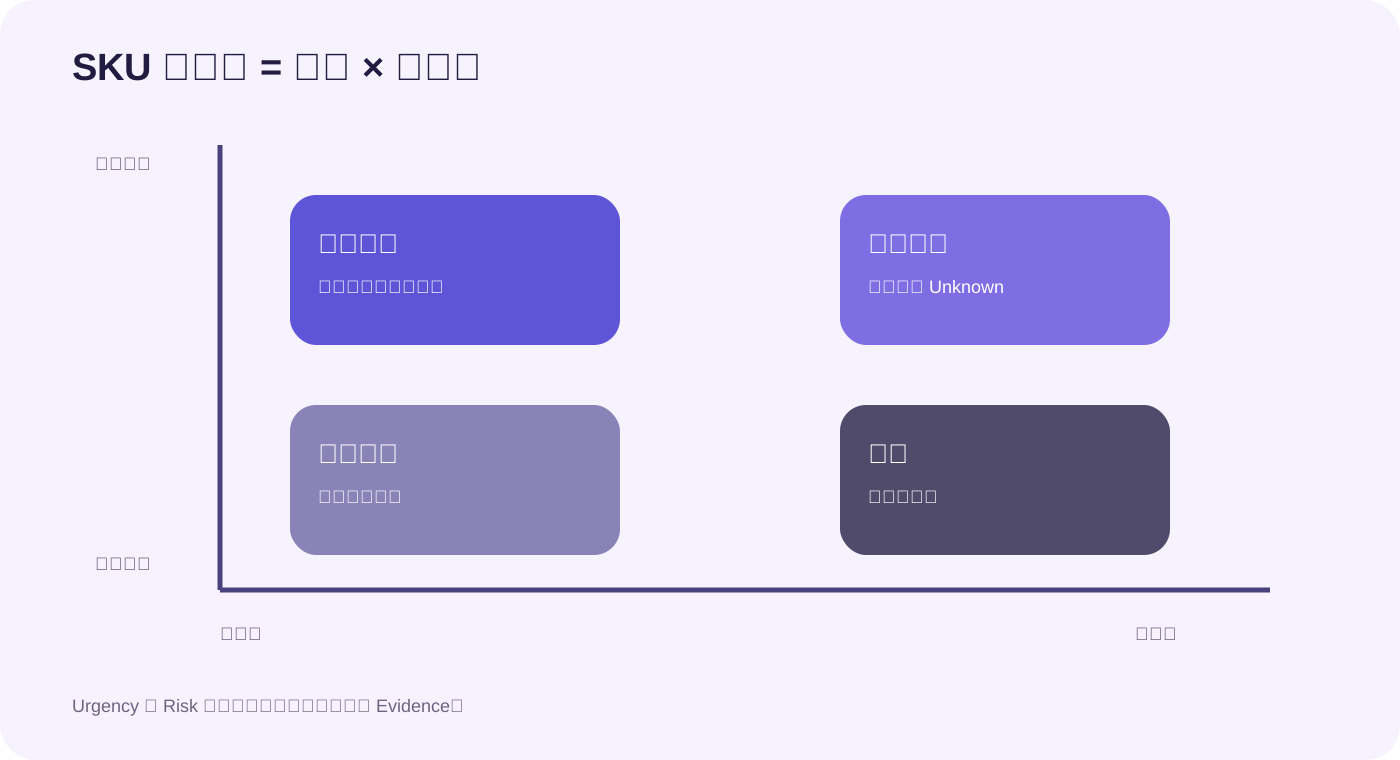
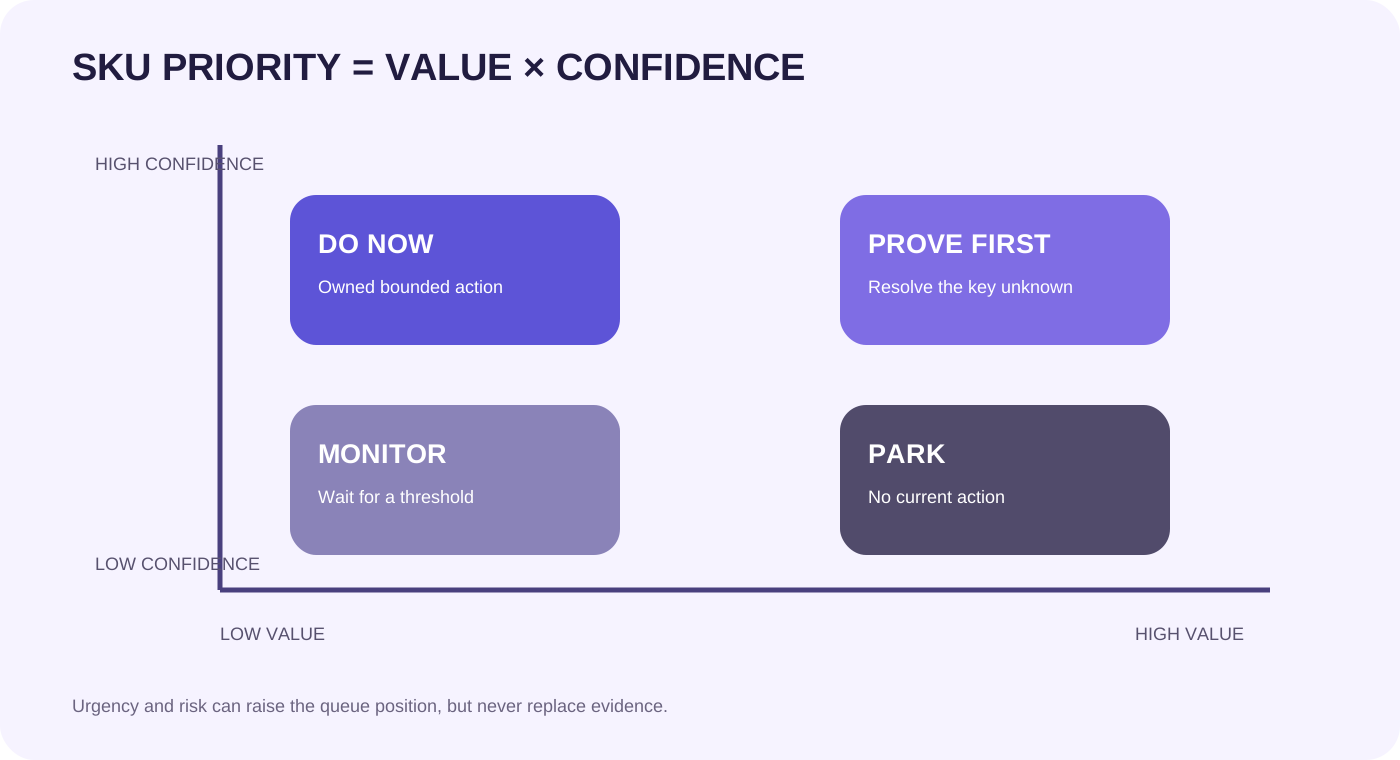
Score discovered opportunities with three filters: value, confidence, and urgency. Value asks what changes if the opportunity is real. Confidence asks whether the evidence comes from a native account record, a current product page, or only a generalized suggestion. Urgency asks whether waiting has a material cost, such as a seasonal window, an inventory decision, or an active content opportunity. Only high-value, sufficiently evidenced, time-relevant items move into the work queue.
Lane 2: List only when product truth and operations are ready
Assisted listing can reduce blank-page work by helping draft or structure product information. The seller still owns the final listing. Before release, verify product identity, category, variations, package quantity, dimensions, ingredients or materials where applicable, images, claims, compliance documents, price, stock, fulfillment promise, and the exact item the buyer receives. AI-written language must be checked against the product and approved evidence.
For multi-SKU catalogs, use a listing-ready gate. A product stays in draft when a required fact is missing, a claim is unsupported, a variation cannot be fulfilled, or the item has no commercial role in the current assortment. Listing more products is not progress if the additions create duplicate pages, confused variants, thin inventory, or customer-service risk. A smaller set of trustworthy products is a stronger operating base.
Lane 3: Optimize one bottleneck, not the whole page
SEO opportunities and Smart Product Analysis can point to weak discoverability or presentation. Before editing, name the suspected bottleneck. Is the problem that the product is not being found, that the page does not answer a buyer question, that the offer is uncompetitive, or that the product is receiving demand but not converting? The answer determines whether the next action belongs in keywords, images, title clarity, variation logic, price, inventory, creator content, or no change at all.
Release one controlled change where practical. Record the old state, new state, reason, owner, start time, intended signal, guardrail, and review date. Do not rewrite every title because one suggestion produced a strong phrase. Do not copy a peer's keyword when it does not truthfully describe the product. Keep a rollback path for changes that reduce clarity, create policy risk, or damage the buyer experience.
Lane 4: Diagnose the buyer path before prescribing a fix
Diagnosis starts with the product's actual path: discovery, product-page understanding, offer evaluation, checkout, fulfillment, and post-purchase experience. A drop at one stage cannot be repaired blindly at another. More traffic will not fix an unavailable variation. A new image may not fix an uncompetitive effective price. A discount may create orders while making the economics unacceptable. Smart Product Analysis can speed up the search for possible causes, but the team must verify the relevant native record.
Use a one-cause test. Write the observed problem, the most likely controllable cause, the evidence that supports it, the smallest change that could disprove or improve it, and the readback that will decide what happens next. If several causes are equally plausible, resolve the highest-risk unknown first. Diagnosis is complete only when it creates a decision, not when it produces a longer list of recommendations.
Lane 5: Monitor stable and high-consequence products
Smart Product Watch is useful when the team defines what deserves watching. Include products that carry material revenue, face fragile inventory, recently changed, have a seasonal window, receive concentrated creator activity, or could create a meaningful customer or compliance consequence. Stable low-impact products do not need the same alert intensity as a hero SKU with fast-moving stock.
For each watched product, define the signal, threshold, owner, response time, and allowed action. A useful alert might trigger an inventory check, a listing comparison, a creator-link audit, or a pause decision. An alert with no owner becomes notification noise. Monitoring should also have an exit rule: remove the product from the watch list when the risk closes, the test ends, or the product is deliberately retired.
Run a weekly queue with three priority levels
Use P1 for products where delay can cause customer, compliance, fulfillment, inventory, or material commercial harm. Use P2 for products with a supported growth opportunity and a bounded next action. Use P3 for observations that are useful but not yet decision-ready. Keep the active queue small enough that each item has an owner and a review date. A shop with 80 products may still have only three P1 items and five P2 tests this week.
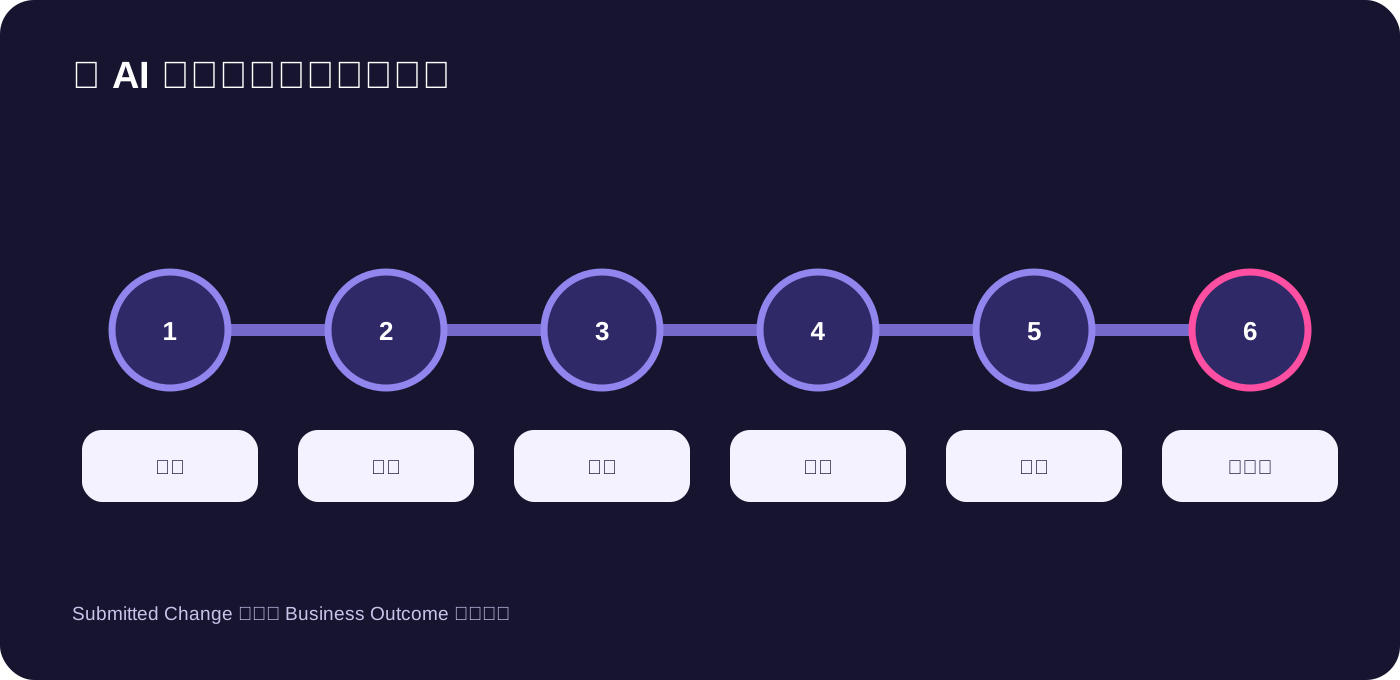
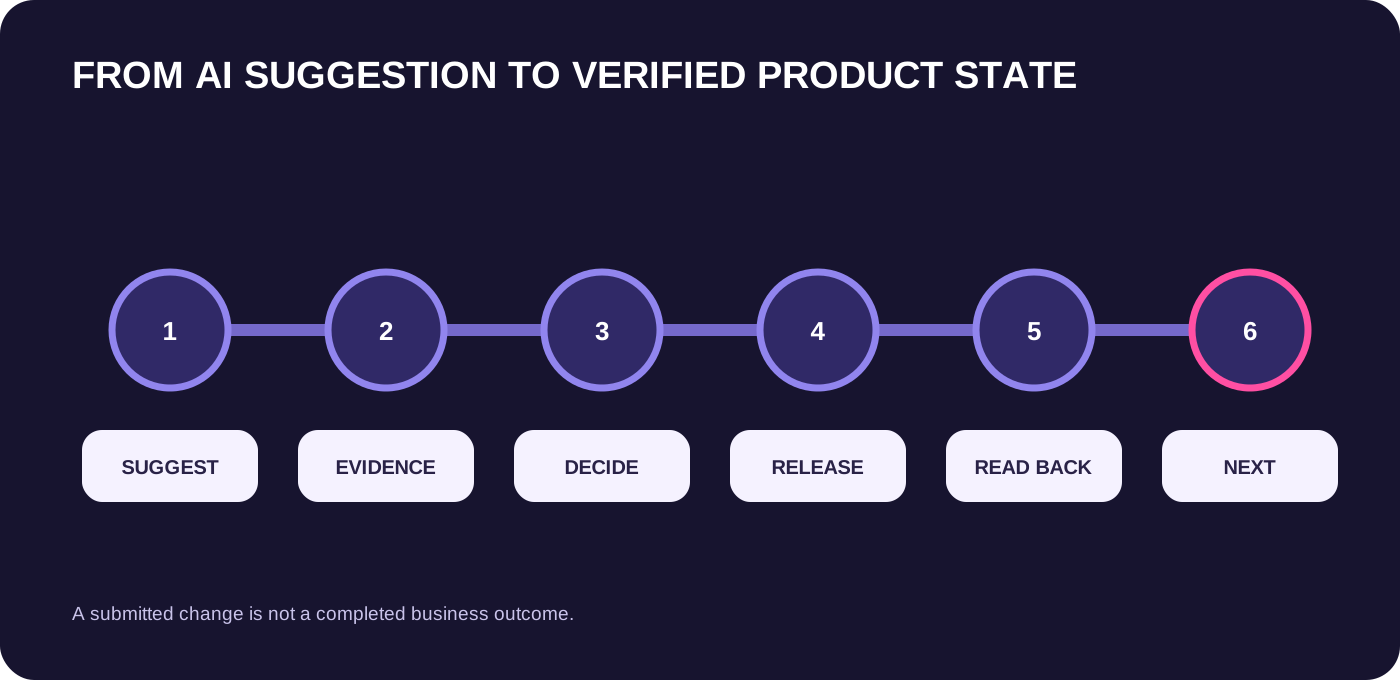
During the weekly review, close or re-rank every active item. Completed means the live product state was read back, not merely that an edit was submitted. Blocked means the missing fact and owner are explicit. Monitored means no action is required until a defined threshold changes. New AI suggestions enter the evidence table first; they do not jump directly into execution.
Hypothetical operating example
This is an operational example, not a WEM client result. A beauty shop has 46 active products. Smart Assistant surfaces search opportunities for 12 items, while the team also sees one bestseller approaching its inventory buffer, one serum page receiving traffic but weak conversion, and three new products waiting for listing assets. The team does not launch a 16-product optimization sprint.
The inventory-risk bestseller becomes P1 and enters Monitor with a named stock owner and pause threshold. The serum becomes P2 Diagnose because the page receives demand; the team compares the current listing, buyer questions, price, and variation availability before testing one clarity change. Of the 12 search suggestions, two products have adequate stock, margin, and supported language, so they enter P2 Optimize. The other ten remain P3 until evidence improves. Only one new item passes the listing-ready gate. At week's end, the team reads the live state and observed signals, then chooses the next bounded action.
Smallest useful next action
Export or write down your 20 highest-consequence SKUs and give each one a single lane: Discover, List, Optimize, Diagnose, or Monitor. Then select no more than three P1 items and five P2 items. For every active item, add one owner, one evidence link or native record, one permitted next action, and one readback date. Leave everything else monitored or parked. This creates a workable decision queue without pretending the whole catalog needs attention today.
Source notes
This original WEM operating framework draws on complete current TikTok Shop U.S. Seller University material validated September 1, 2026: Smart Homepage & Assistant Practical Handbook 5, supported by Smart Homepage & Assistant Handbook Vol. 2. The official material describes Discover, List, Optimize, Diagnose, and Monitor workflows, including opportunity discovery, assisted listing, SEO opportunities, Smart Product Analysis, Smart Product Watch, and peer benchmarks. Interface paths, eligibility, limits, suggestions, benchmarks, and account-level signals can change. Verify the current U.S. Seller Center and the brand's own product, inventory, economics, compliance, and customer evidence before acting.
Frequently asked questions
Should every Smart Assistant suggestion become a task?
No. Put the suggestion through value, confidence, urgency, readiness, and risk checks. Many suggestions should remain hypotheses or monitoring items.
How many SKUs should the team optimize at once?
Only as many as the team can own, isolate, and read back. A small active queue usually produces clearer learning than a catalog-wide rewrite.
Can peer benchmarks prove that a product will sell?
No. They can reveal a comparison or opportunity to investigate. Product fit, price, pack size, audience, inventory, margin, and content support still require brand-specific evidence.
What if account data is unavailable?
Record it as unknown, identify the owner and source needed, and avoid decisions that depend on the missing fact. Unknown is never zero.
When is a product ready for Smart Product Watch?
When the team can name the signal, threshold, consequence, owner, response, and exit rule. Otherwise the watch list becomes notification noise.
How do we know an optimization is complete?
Completion requires a live readback of the intended product state and the scheduled result check. A submitted edit or AI confirmation is not terminal evidence.